Best For
- Starting from a structured, reusable prompt instead of a blank chat.
- Adapting the prompt to your own inputs while keeping the original intent intact.
- Workflows related to Education & Academic, Creative & Visuals, Design & Art.

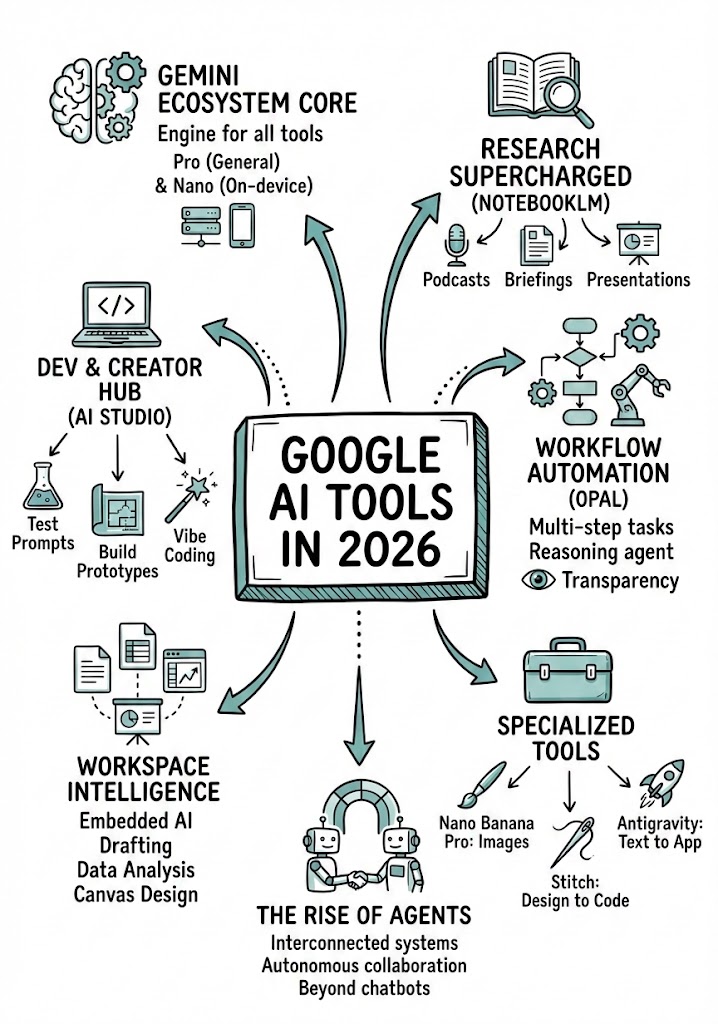
Analyzes a YouTube video URL to extract key concepts and generates a hand-drawn infographic summary (sketchnote) of the content.
Analyze the YouTube video regarding {{Topic: Take from the video context}} located at: {{YouTube URL: https://youtu.be/...}}.

First, summarize the content into small, digestible concepts to learn easily.

Once analyzed, create a hand-drawn sketchnote visual summary of these notes using the following specifications:
- Background: Pristine white paper (no lines).
- Art Style: 'Graphic recording' or 'visual thinking' using black ink fine-liners for clear outlines and text.
- Colors: {{Accent Colors:Teal, Orange, Muted Red, Emerald Green, Navy Blue, Mustard Yellow, Charcoal Grey, Royal Purple}} for simple shading and accents.
- Composition: Center the main title in a 3D-style rectangular box. Surround the title with radially distributed simple doodles, business icons, stick figures, and graphs that explain the concepts. Use arrows to connect ideas.
- Text: Distinct, handwritten, all-caps printing, legible and organized like a professional brainstorming session.
- Orientation: A4 Vertical layout.
Take from the video context
https://youtu.be/...
Teal, Orange, Muted Red, Emerald Green, Navy Blue, Mustard Yellow, Charcoal Grey, Royal Purple
Analyze the YouTube video regarding Take from the video context located at: https://youtu.be/....

First, summarize the content into small, digestible concepts to learn easily.

Once analyzed, create a hand-drawn sketchnote visual summary of these notes using the following specifications:
- Background: Pristine white paper (no lines).
- Art Style: 'Graphic recording' or 'visual thinking' using black ink fine-liners for clear outlines and text.
- Colors: Teal for simple shading and accents.
- Composition: Center the main title in a 3D-style rectangular box. Surround the title with radially distributed simple doodles, business icons, stick figures, and graphs that explain the concepts. Use arrows to connect ideas.
- Text: Distinct, handwritten, all-caps printing, legible and organized like a professional brainstorming session.
- Orientation: A4 Vertical layout.
Variables are wrapped in {{ and }} and follow this pattern:
A selection can reference a predefined variable list using square brackets. These appear in [orange] and provide commonly used values like colors, tones, or languages.
You can also provide an inline list of choices separated by commas.
Tip: You don't need the PUCO app to use these prompts! Simply copy the template and replace each {{…}} section with your own text directly in ChatGPT, Claude, Gemini, or any other AI assistant.