
Prompt
The core instruction. Craft it once, refine it forever, and deploy it instantly from any app.
Expert prompts, smart forms, and one fast workflow — now on iPhone, iPad, Mac, and directly in your browser.
One App Store download for iPhone, iPad & Mac · Free to start · No account required
Analyzes and refactors code to improve performance, readability, and adherence to best practices.
Try today's prompt →Every effective AI interaction relies on four pillars. Your prompt library lives on top of every app you use — always one keystroke away, never in the way.
The core instruction. Craft it once, refine it forever, and deploy it instantly from any app.
Your unique context. Smart forms guide beginners and accelerate power users alike.
Global suffixes and rules that ensure your AI outputs are always formatted correctly.
The result you need. Formatted, validated, and ready to use in seconds.
A system-wide AI launcher designed to keep your hands on the keyboard and your mind on the problem.
Summon PUCO from any application with a single global hotkey. It appears over your current app, you fill the form, copy, and it vanishes. Always one keystroke away, never in the way.
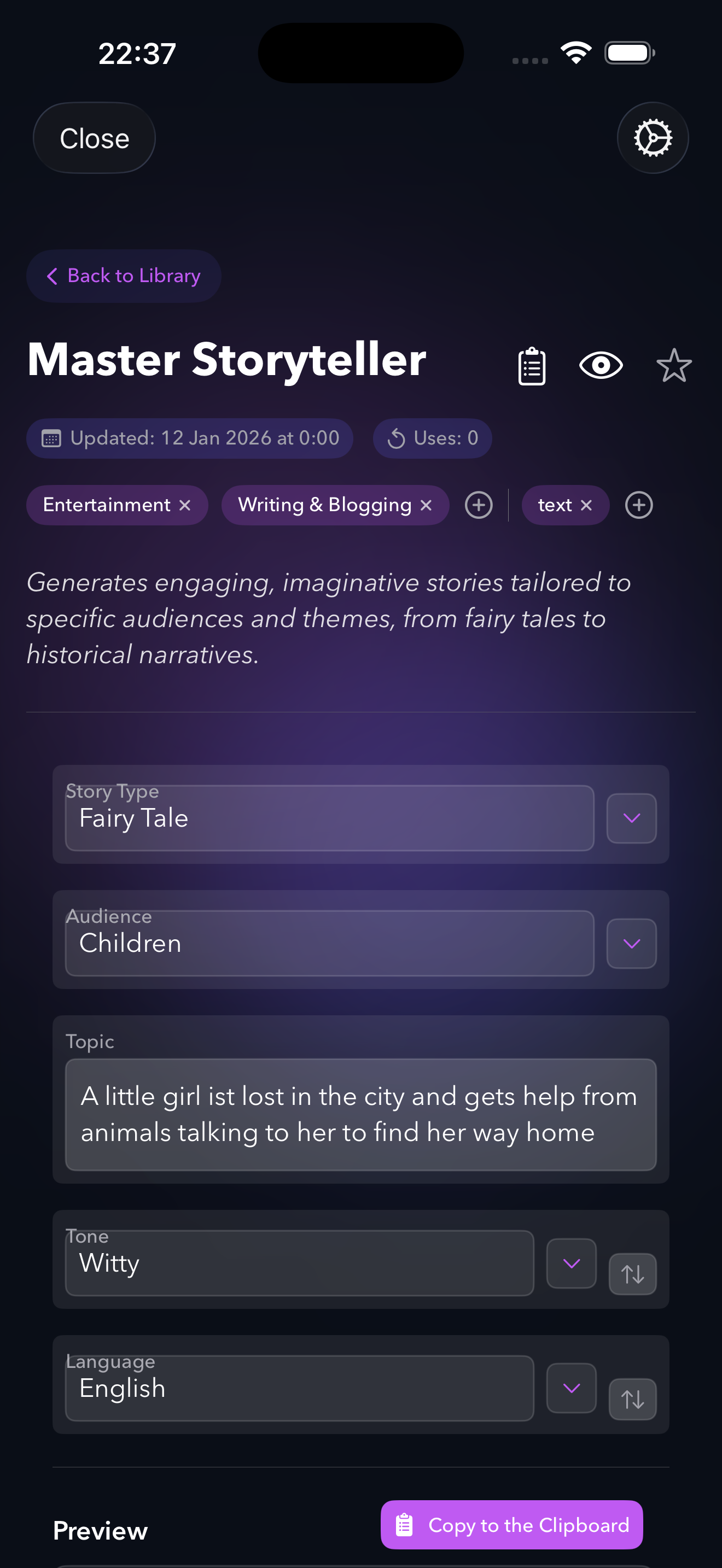
Variables become dropdowns, sliders, and toggles automatically. Each dropdown is curated with expert options — discover camera angles, art movements, and writing techniques you didn't know you could ask for.
Every form remembers your last selections. Tweak one parameter, re-copy, and iterate on AI outputs in seconds. Run it. Tweak it. Run it again.
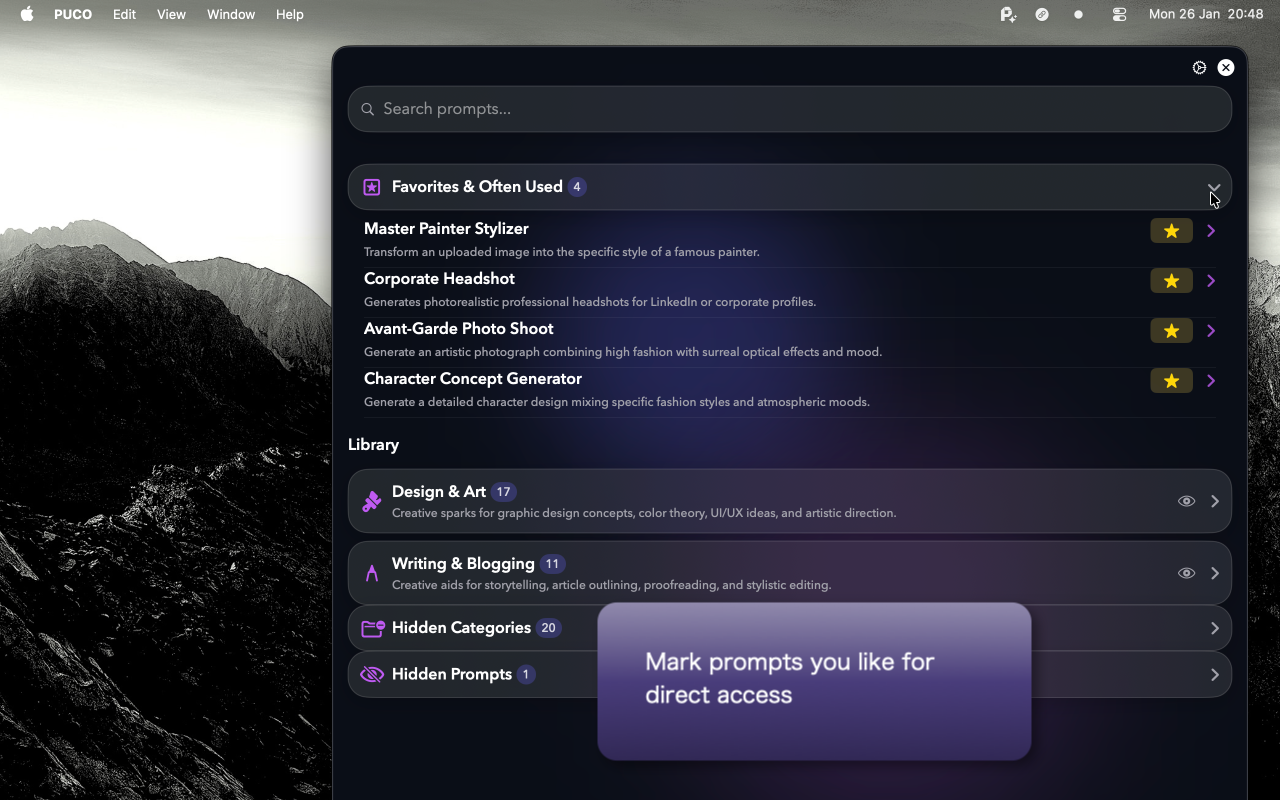
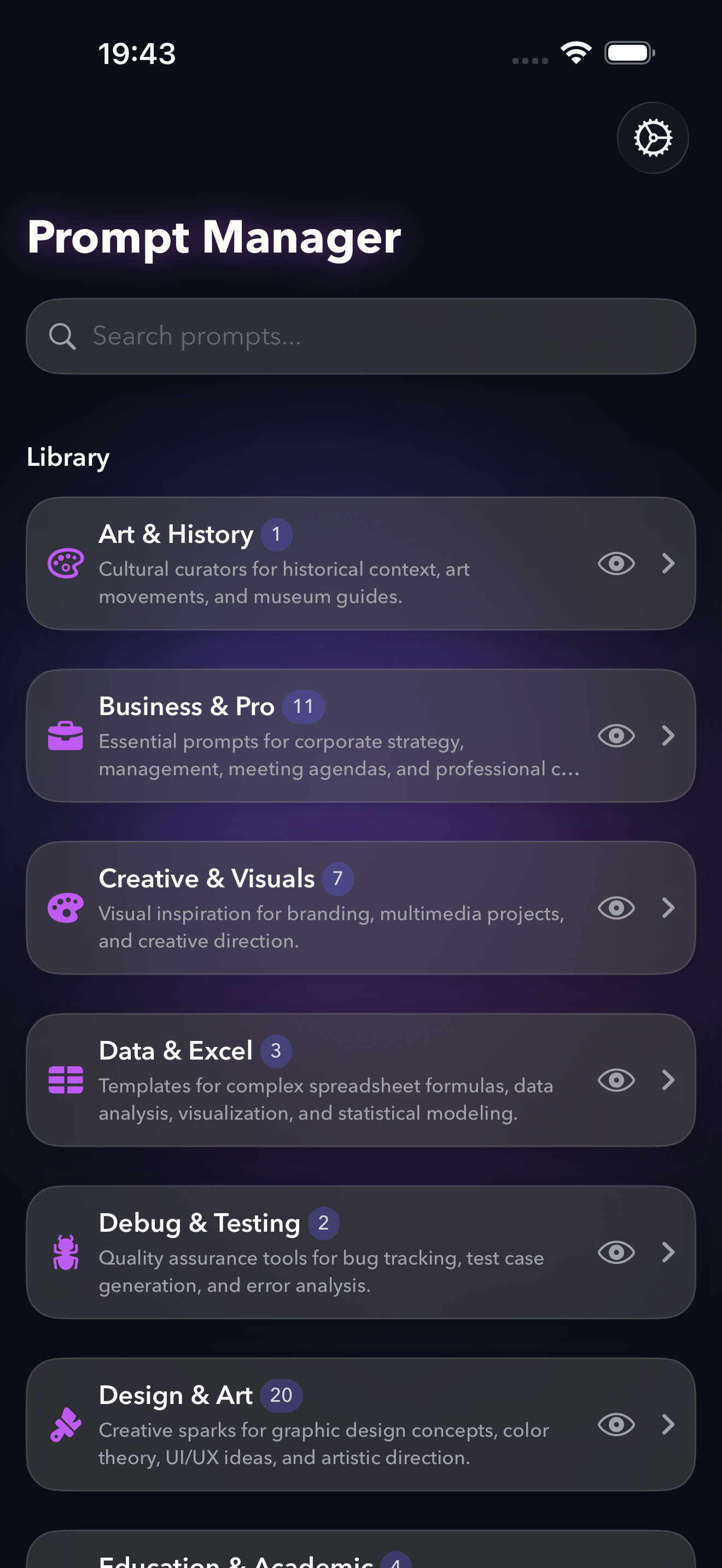
100+ expert prompts across 36 categories — from code review and email drafting to comic book transformations. Ranked by your usage, so your favorites rise to the top.
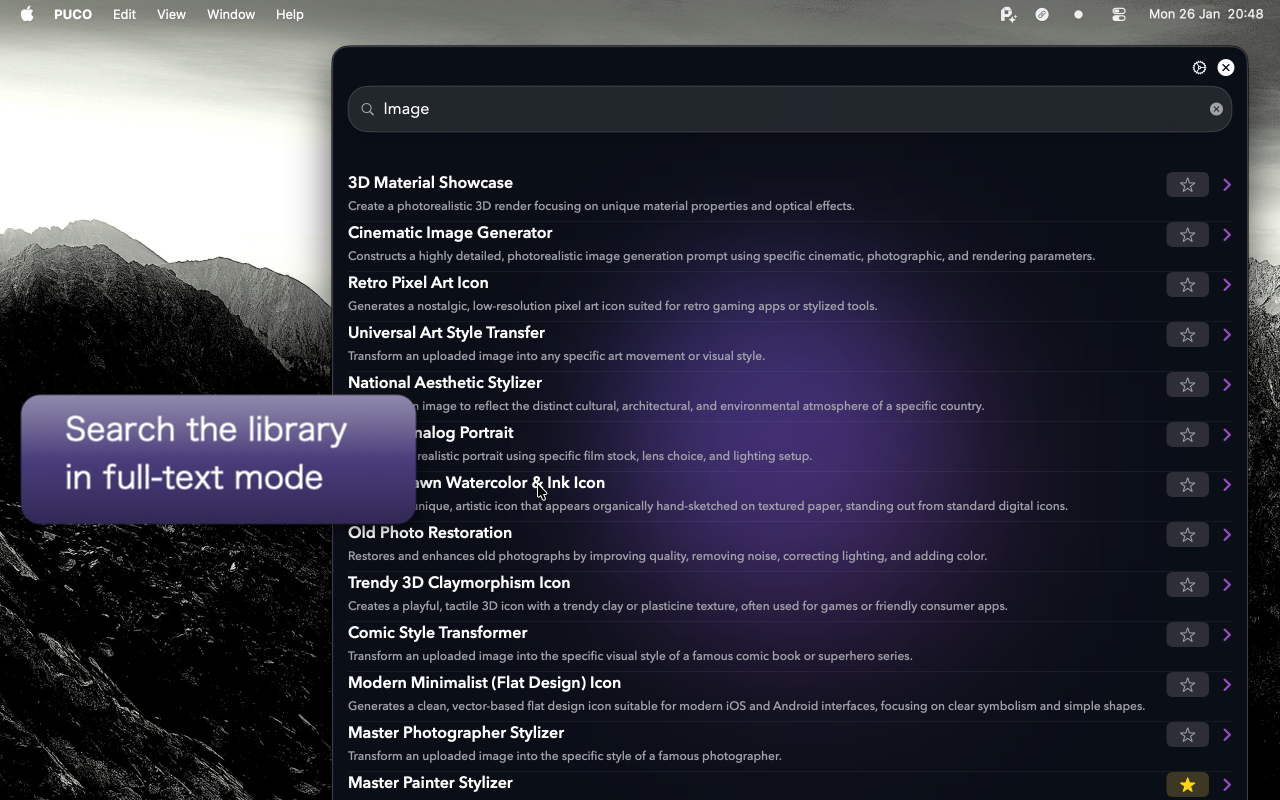
Find prompts by content, variable names, or hidden tags. Searchable, usage-ranked, and instant.
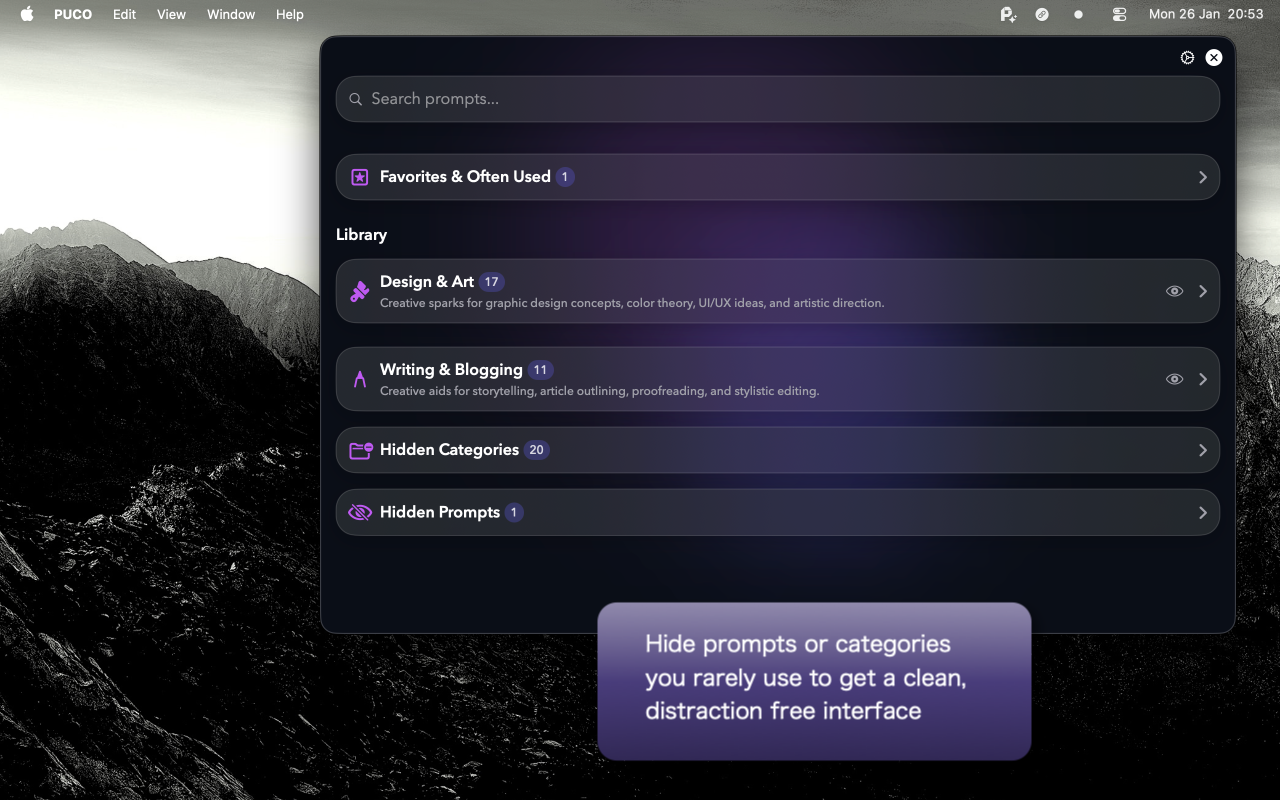
The interface learns what you use. Unused categories fade away, keeping your workflow razor-sharp.
Hand-picked prompts our users copy the most. Browse all 243+ across 37 categories.
Analyzes a codebase to evaluate execution speed, algorithmic efficiency, and resource usage while providing concrete optimization suggestions.
Generates a candid, high-contrast fashion photo with a direct flash aesthetic and raw skin textures.
Creates a comprehensive photographic character model turnaround based on a text description.
Conducts a comprehensive financial discovery session using Socratic questioning to identify goals and risks before providing tailored recommendations.
Generates and refines bold, original creative concepts across various mediums, providing safe, wild, and hybrid options.
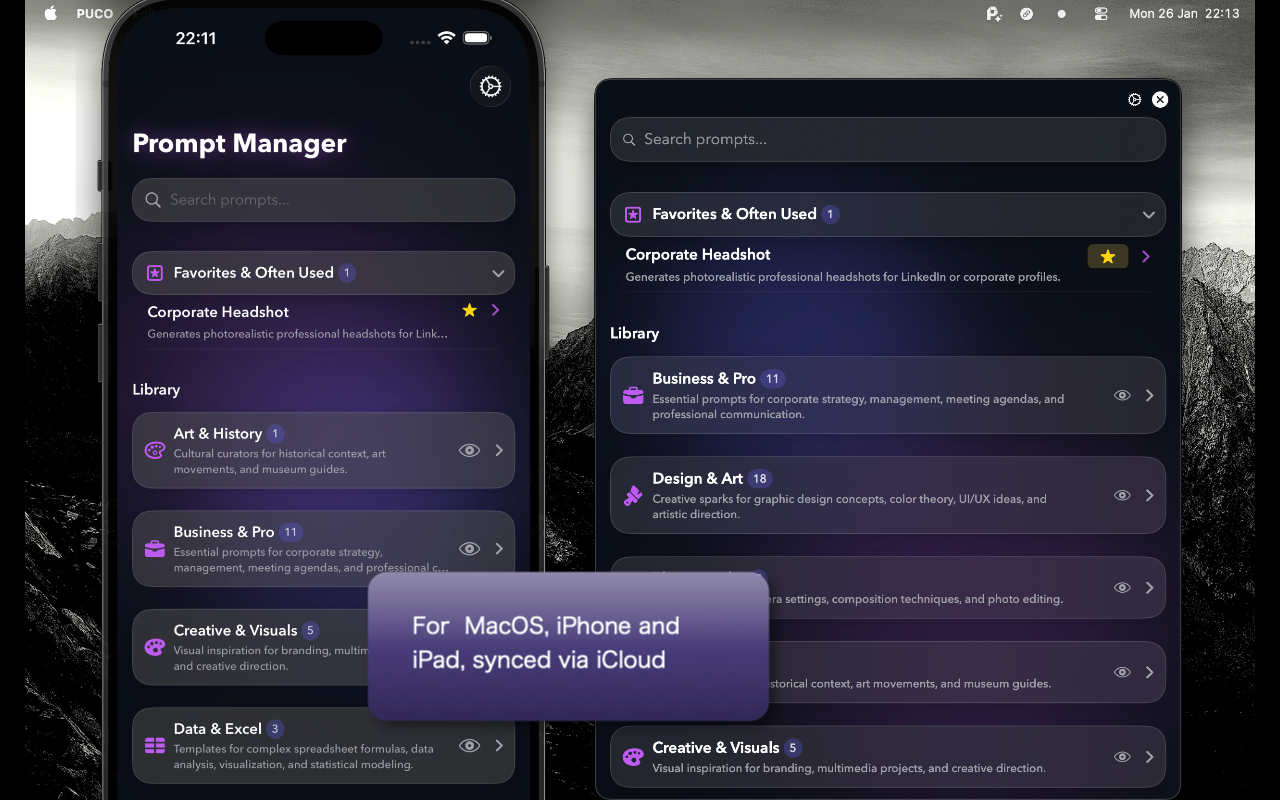
Experience the interface on every device.
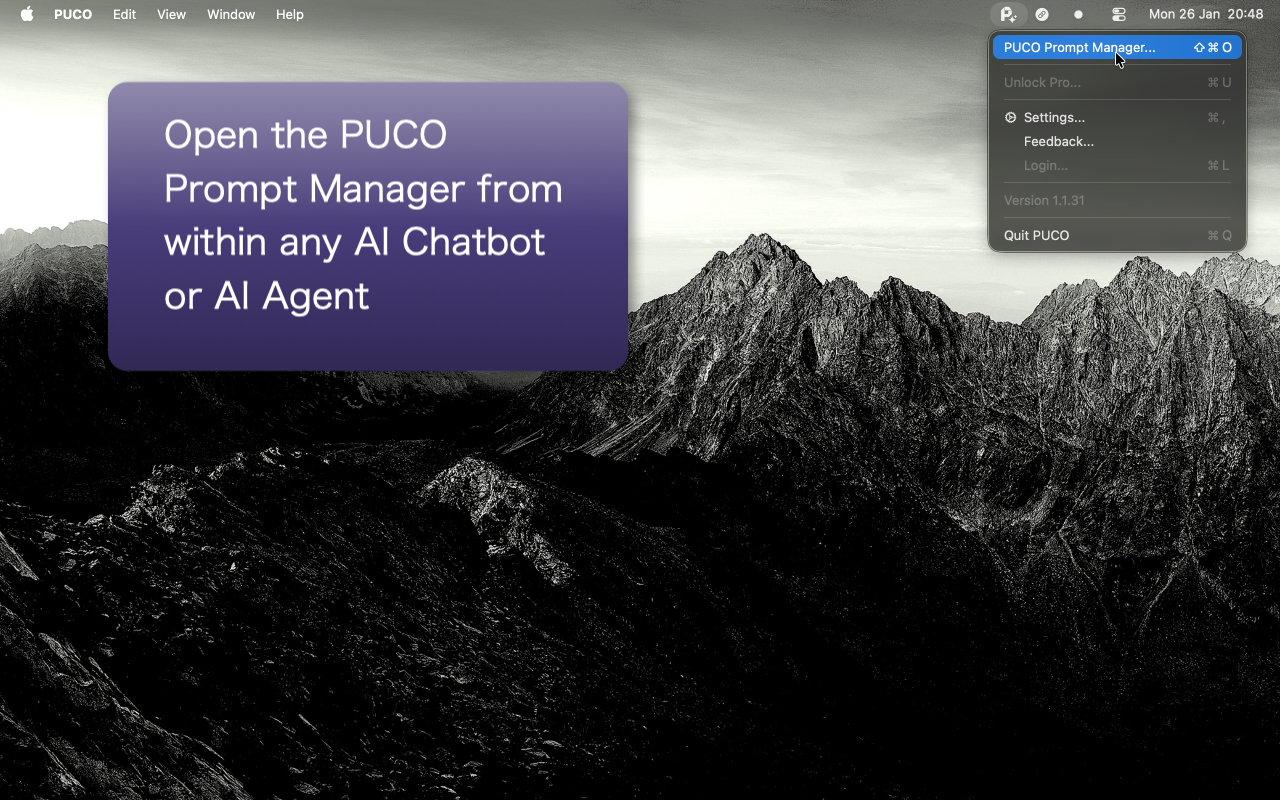
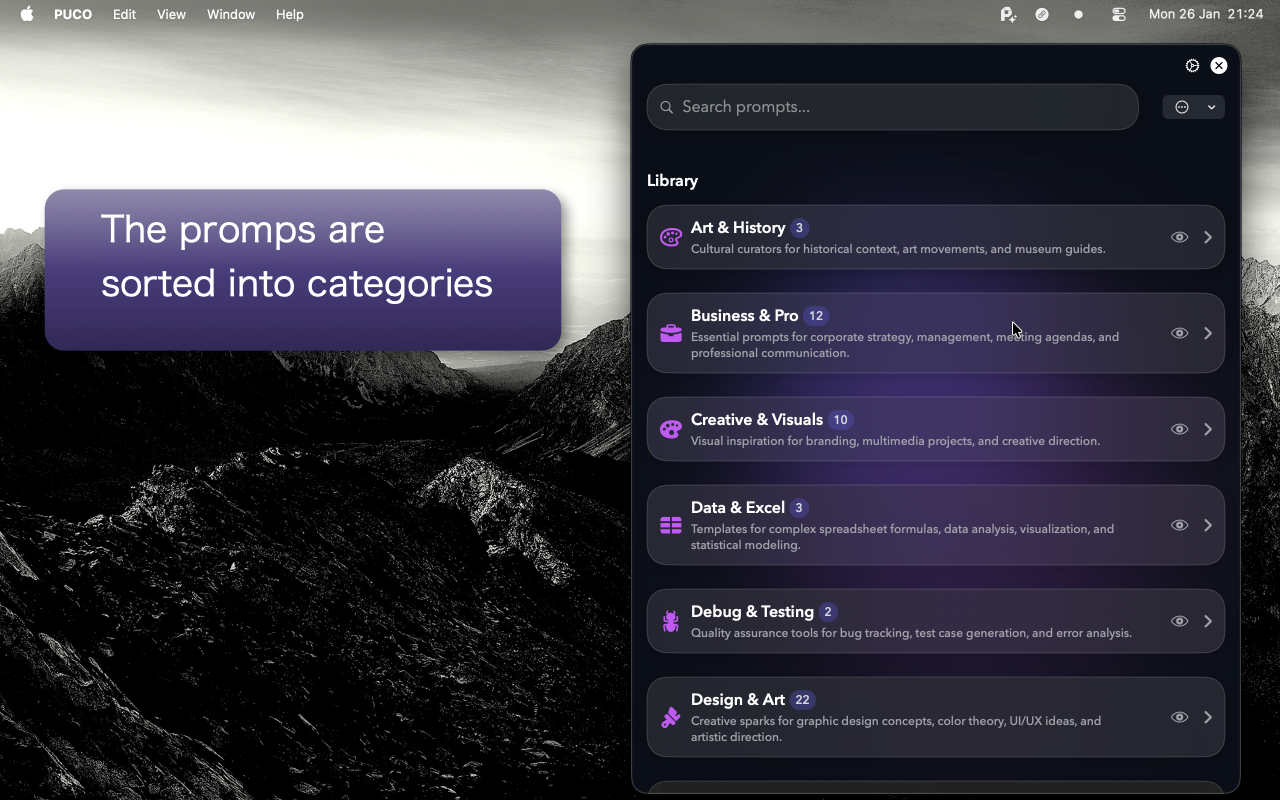
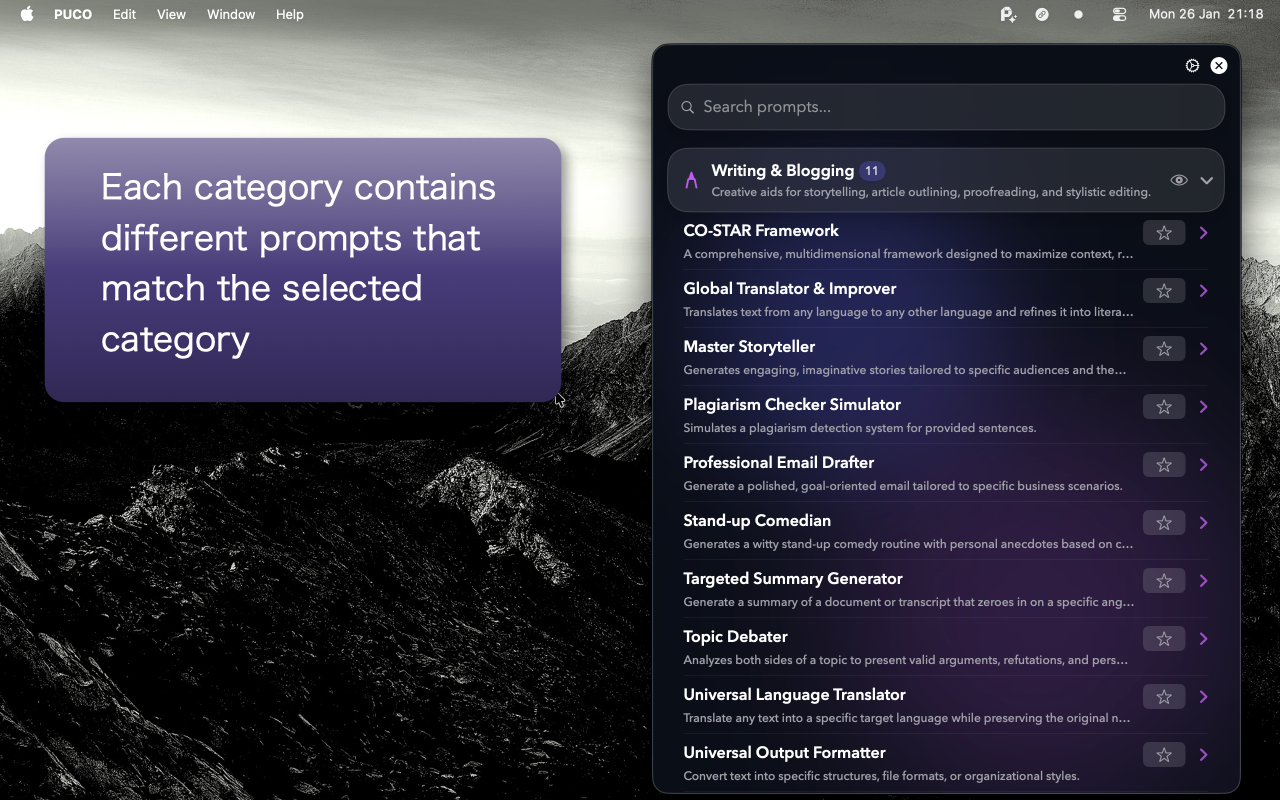
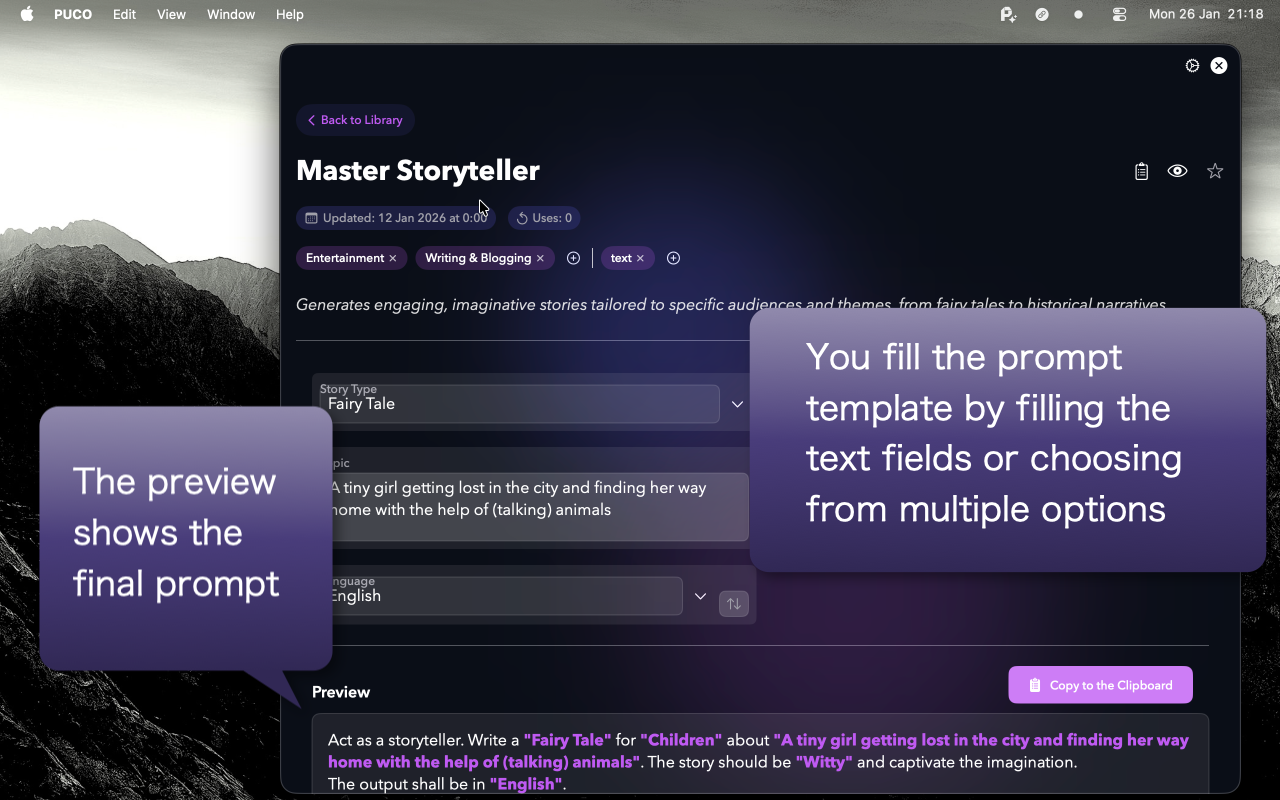


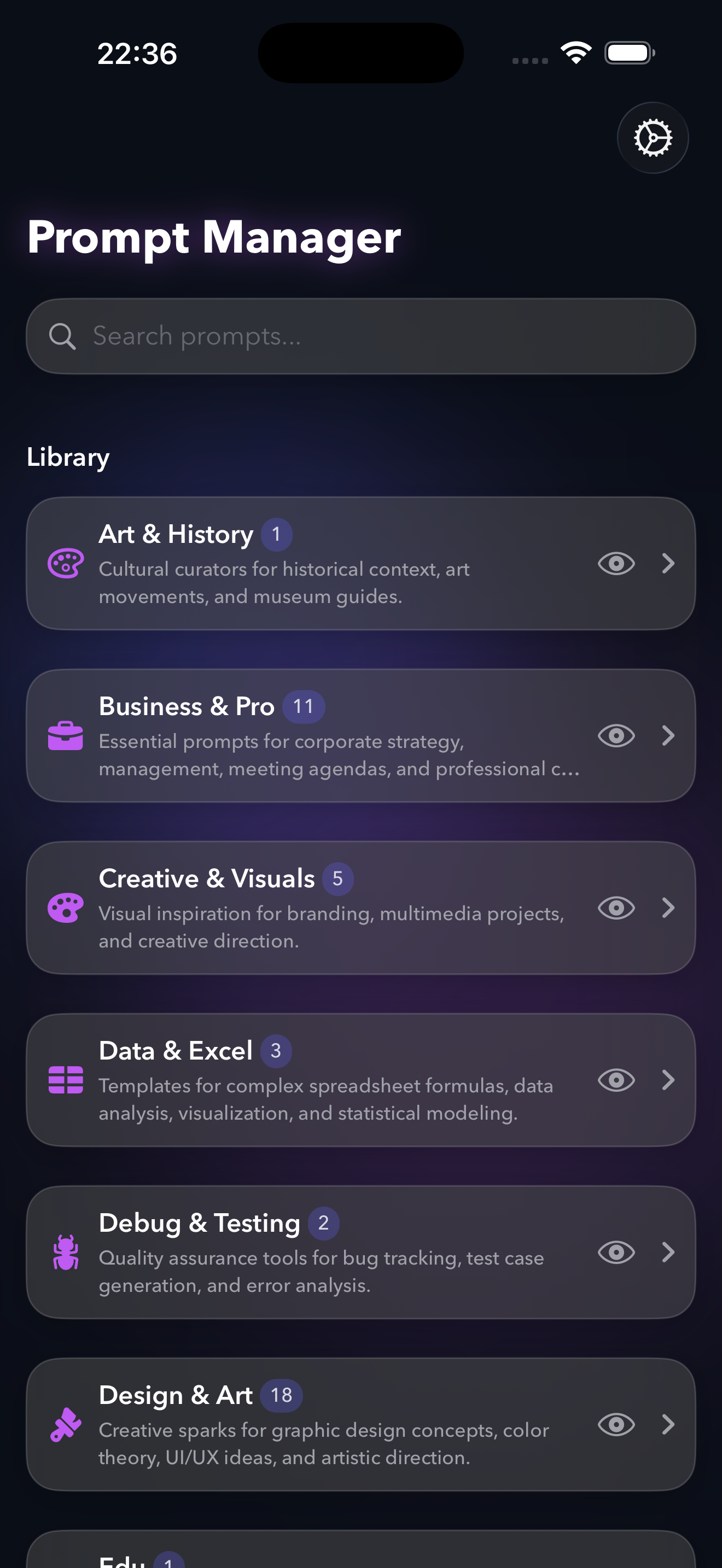
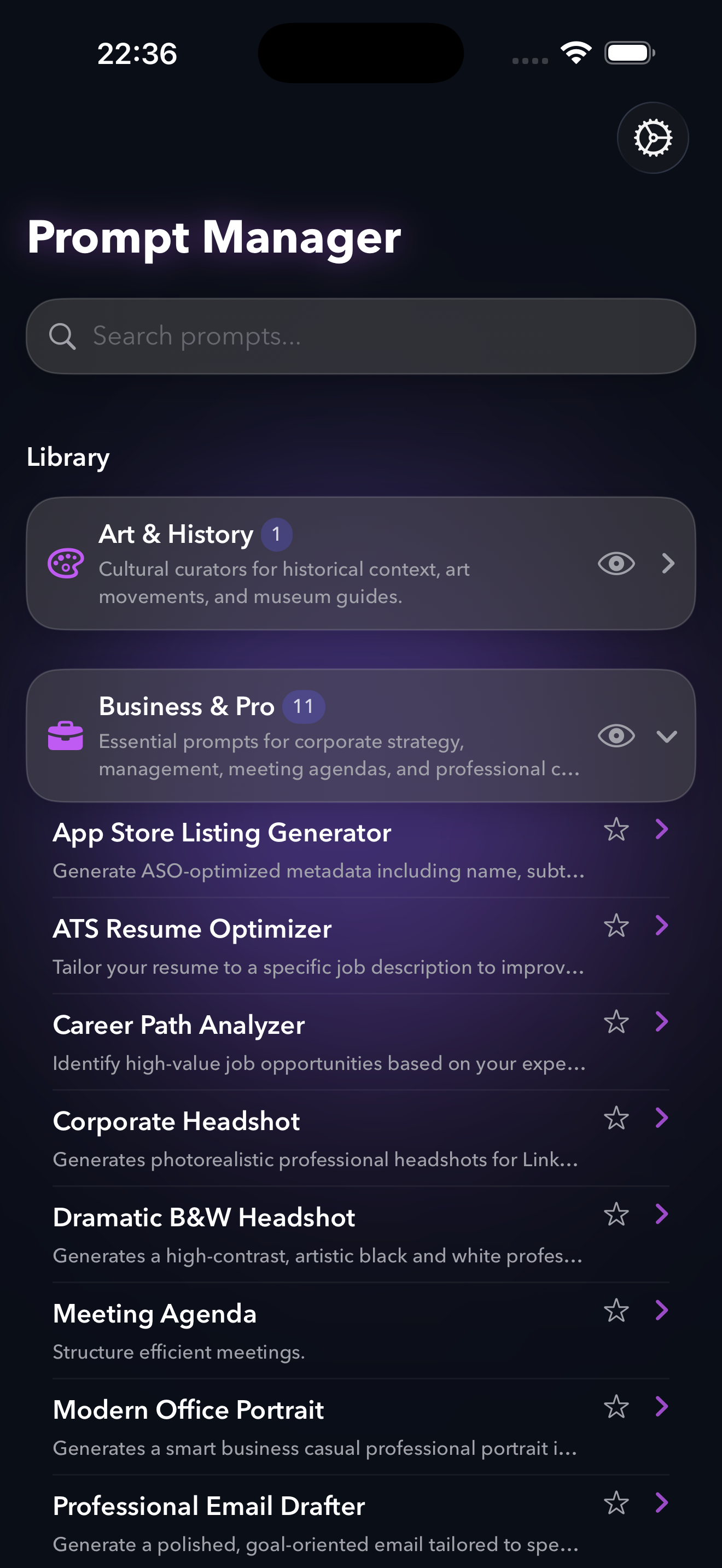
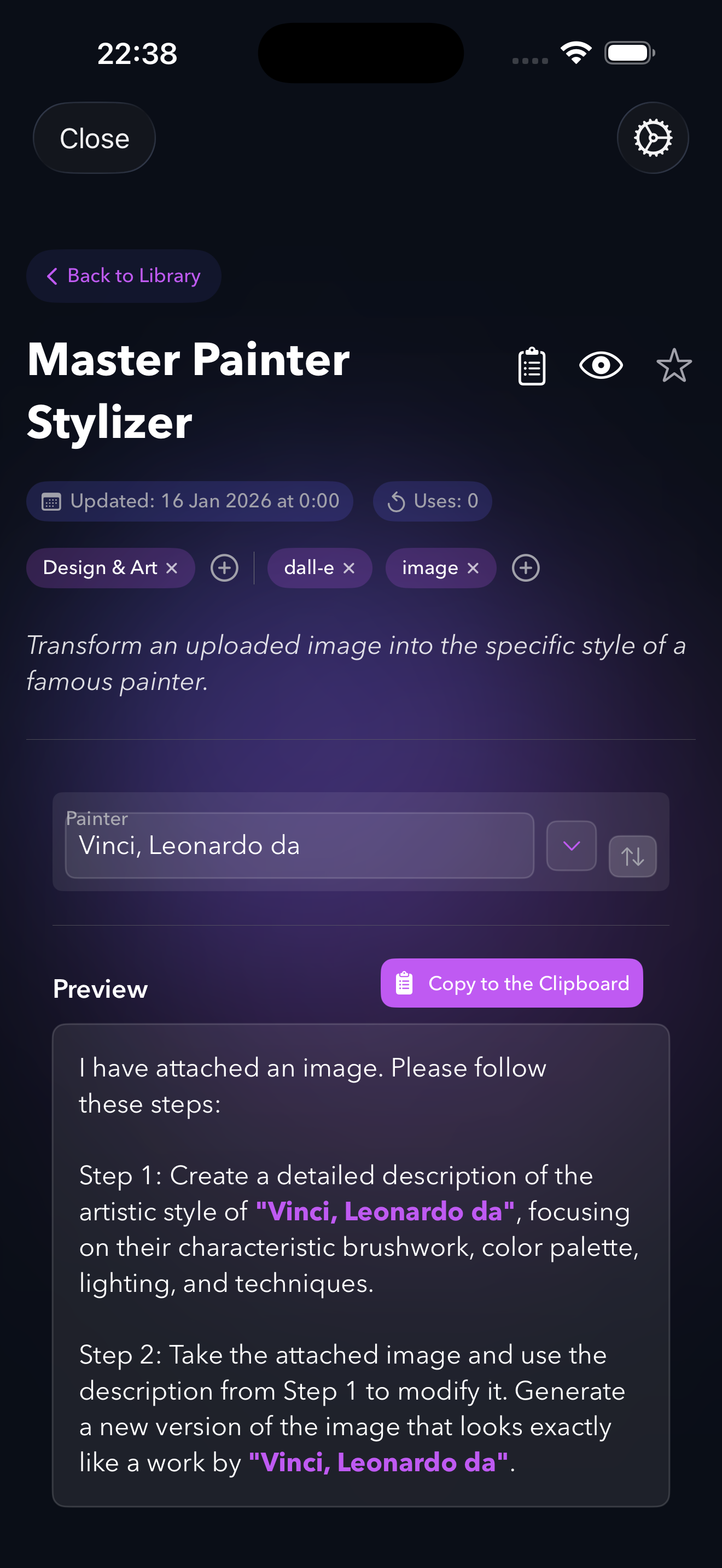

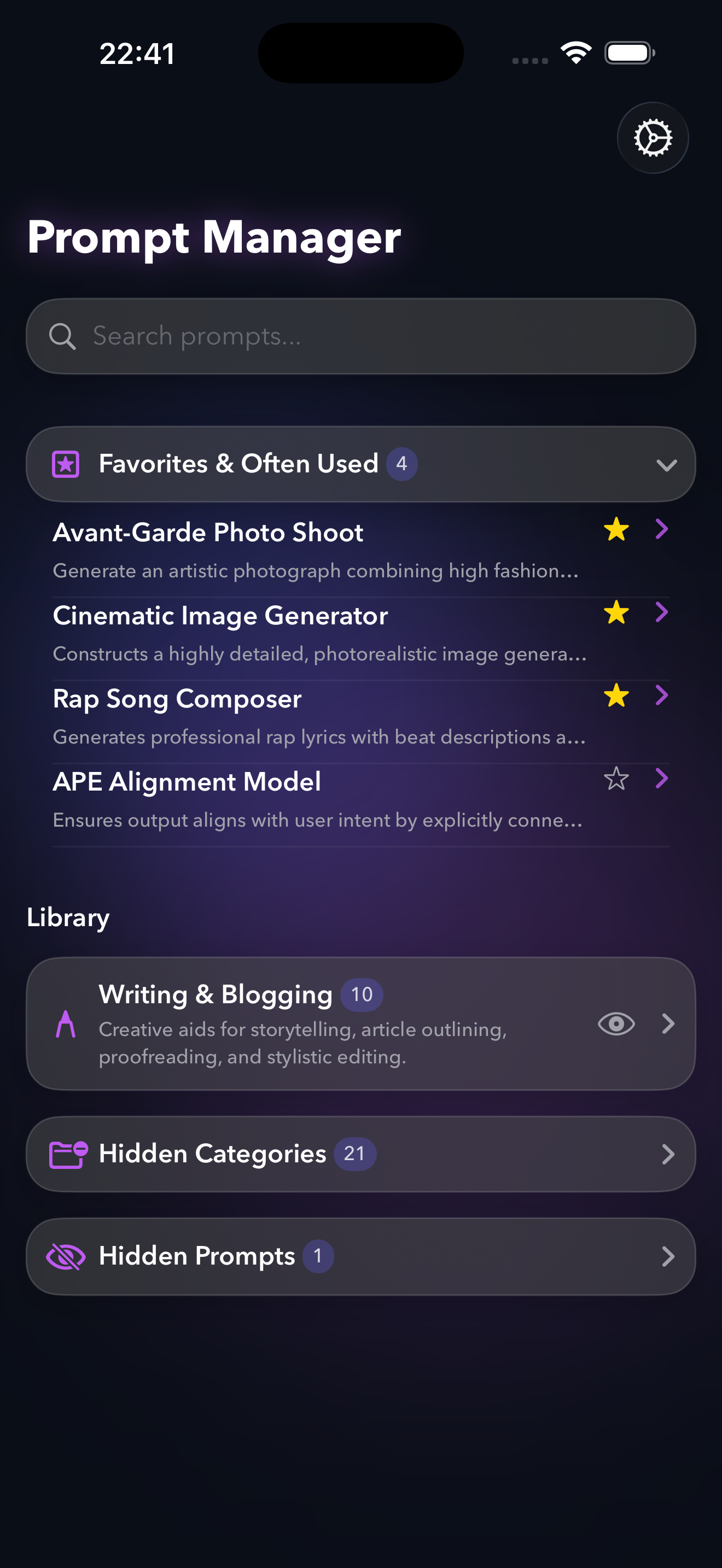
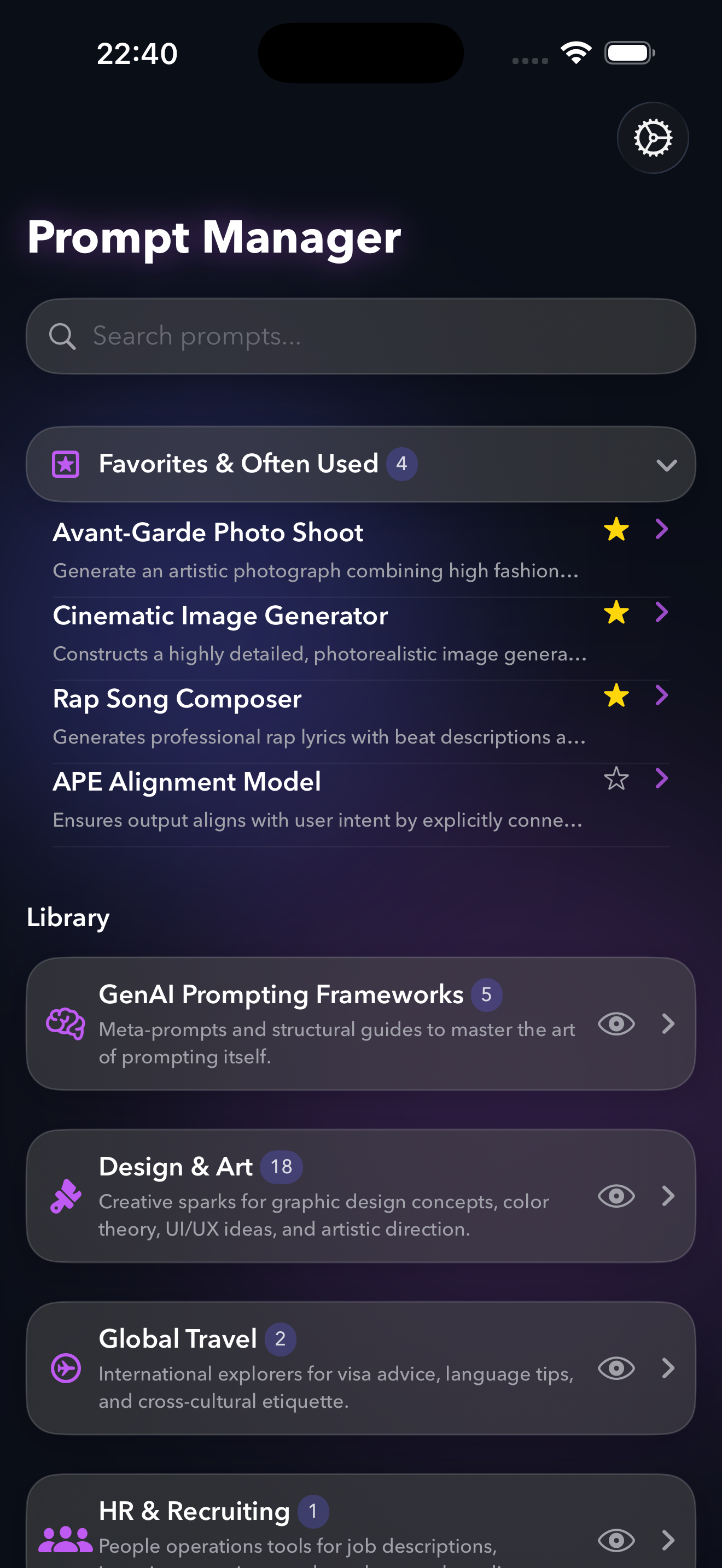
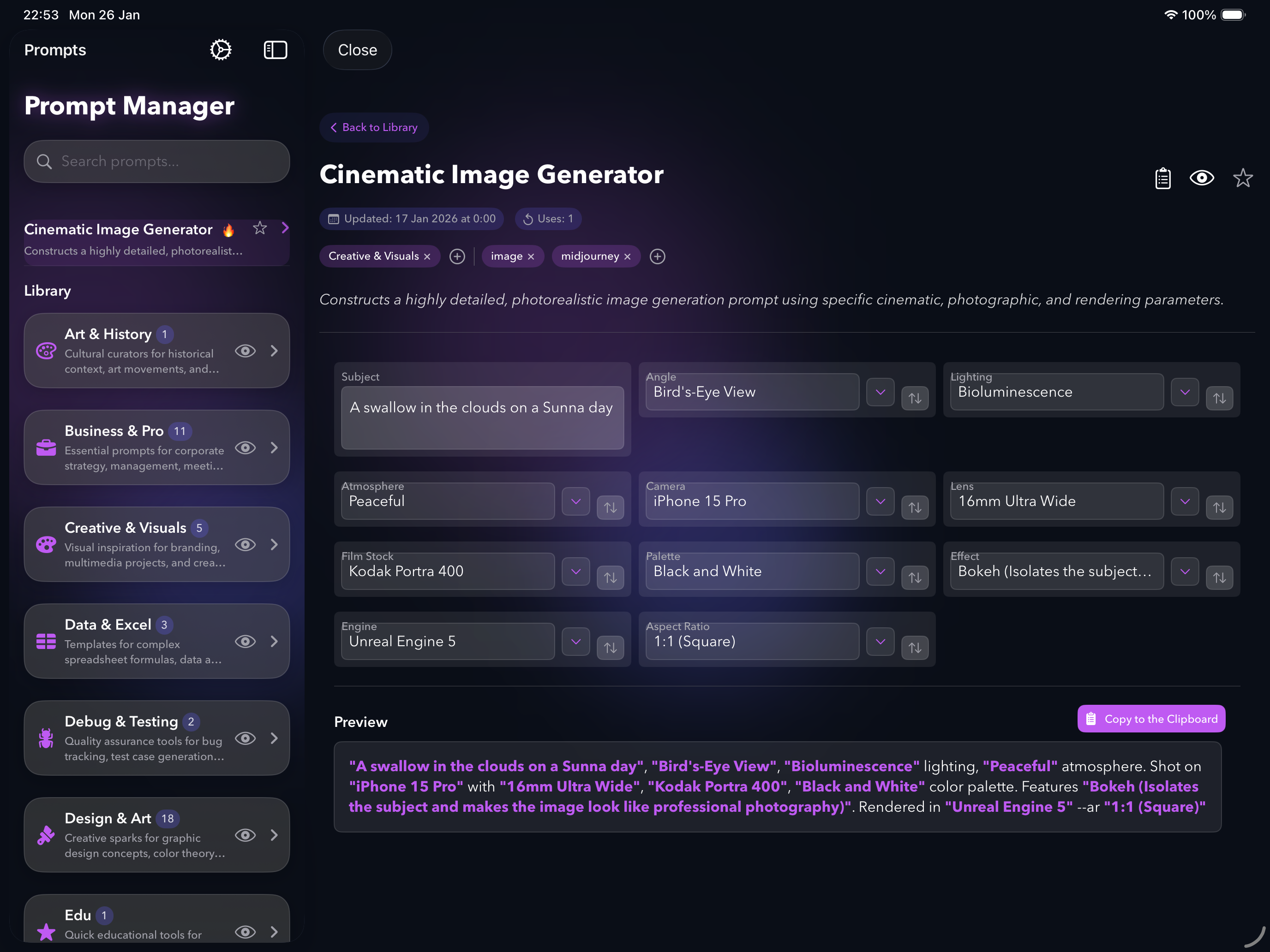

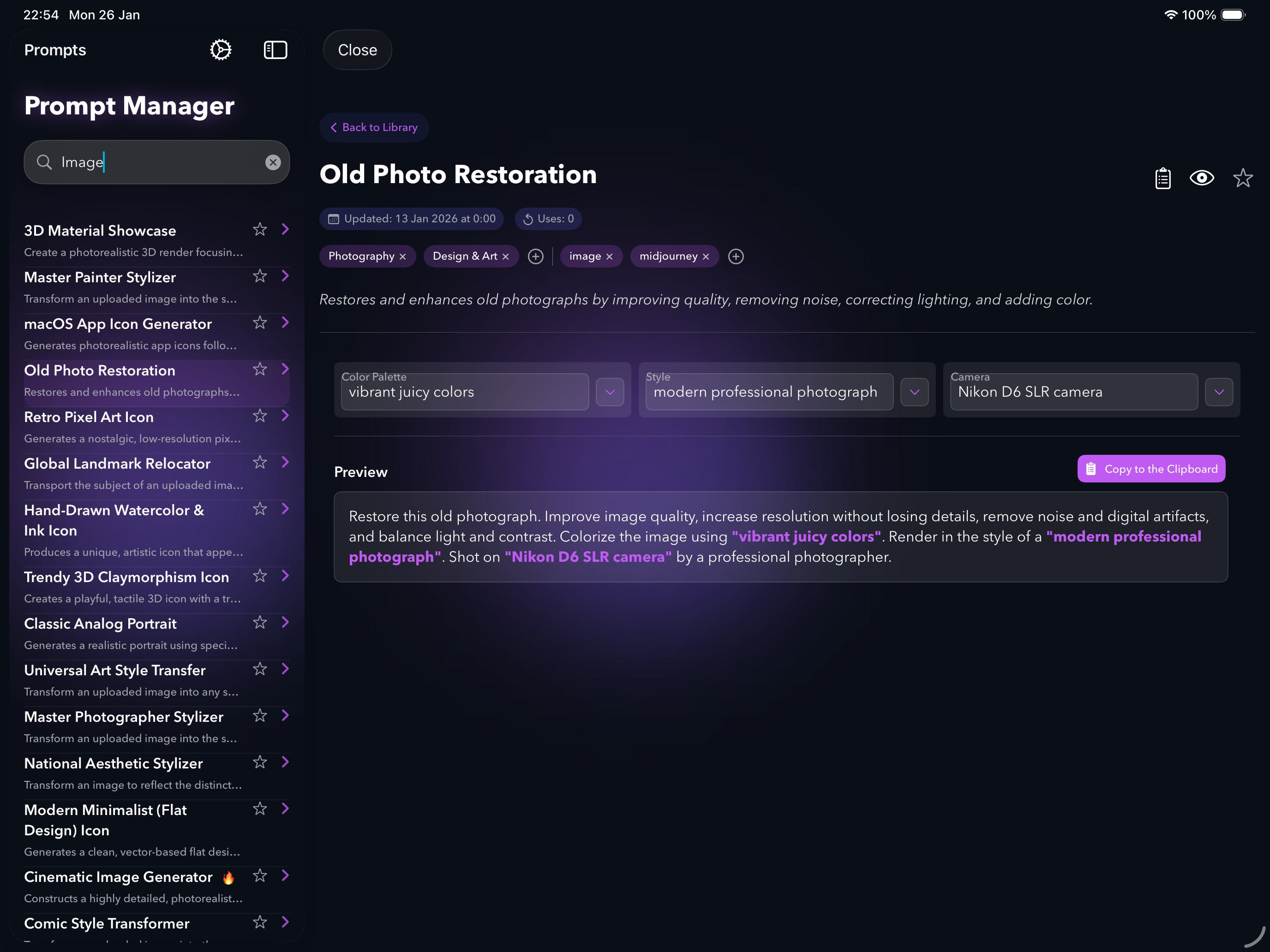
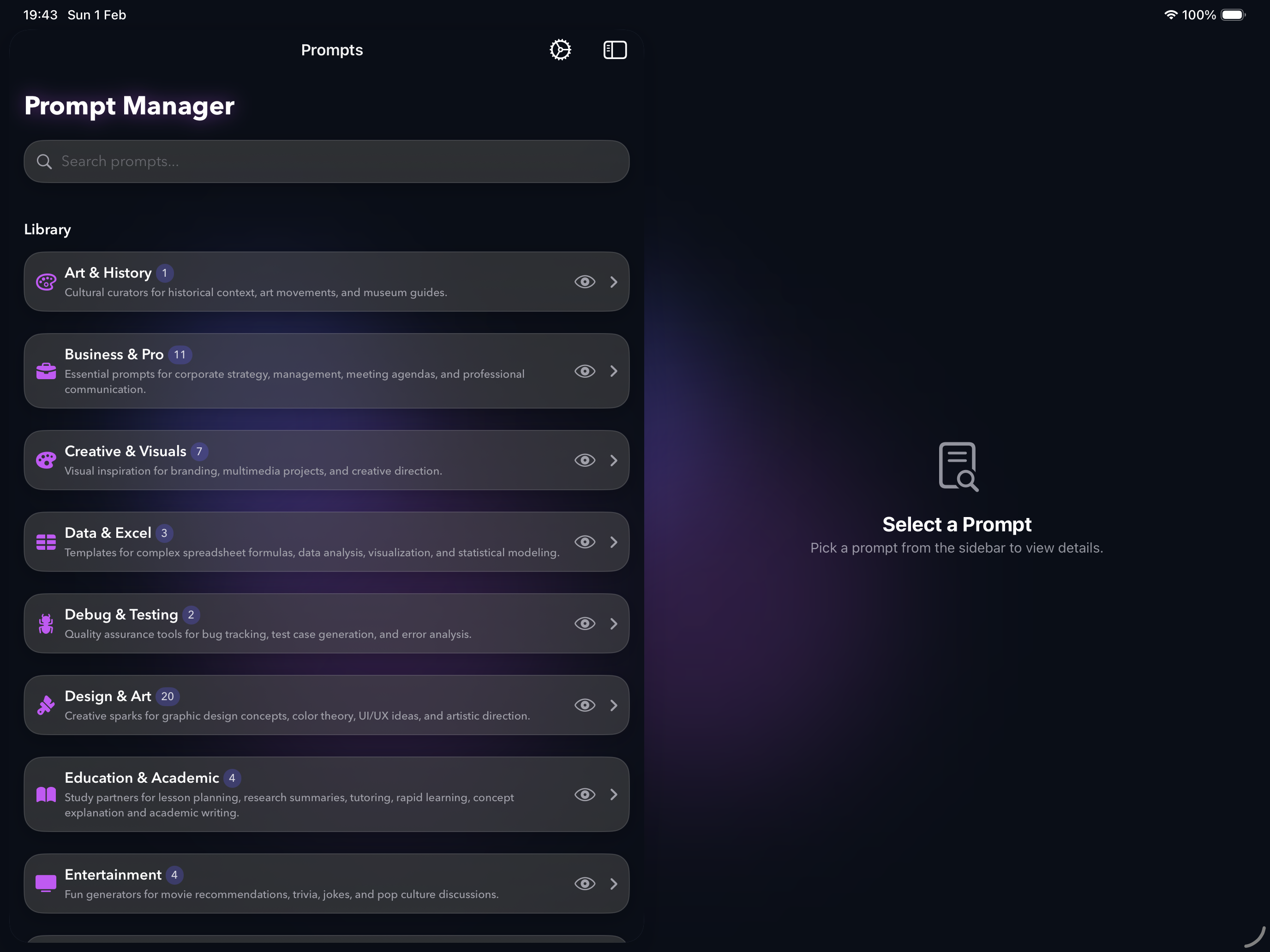
From beginners discovering what AI can do, to power users who need speed — here's why.
One global hotkey summons PUCO over any app. Fill the form, copy, paste. It appears when you need it and vanishes when you don't.
Don't know what to ask AI? Smart forms surface expert options you didn't know existed — camera lenses, art movements, writing frameworks — one dropdown at a time.
Every form remembers your last selections. Tweak one slider, re-copy, compare outputs. Iterate on AI results in seconds, not minutes.
Seamless synchronization across Mac, iPhone, and iPad. Start a prompt on your commute, deploy it at your desk.
Consistency across AI interactions. Automatically append JSON formatting or style rules to every prompt.
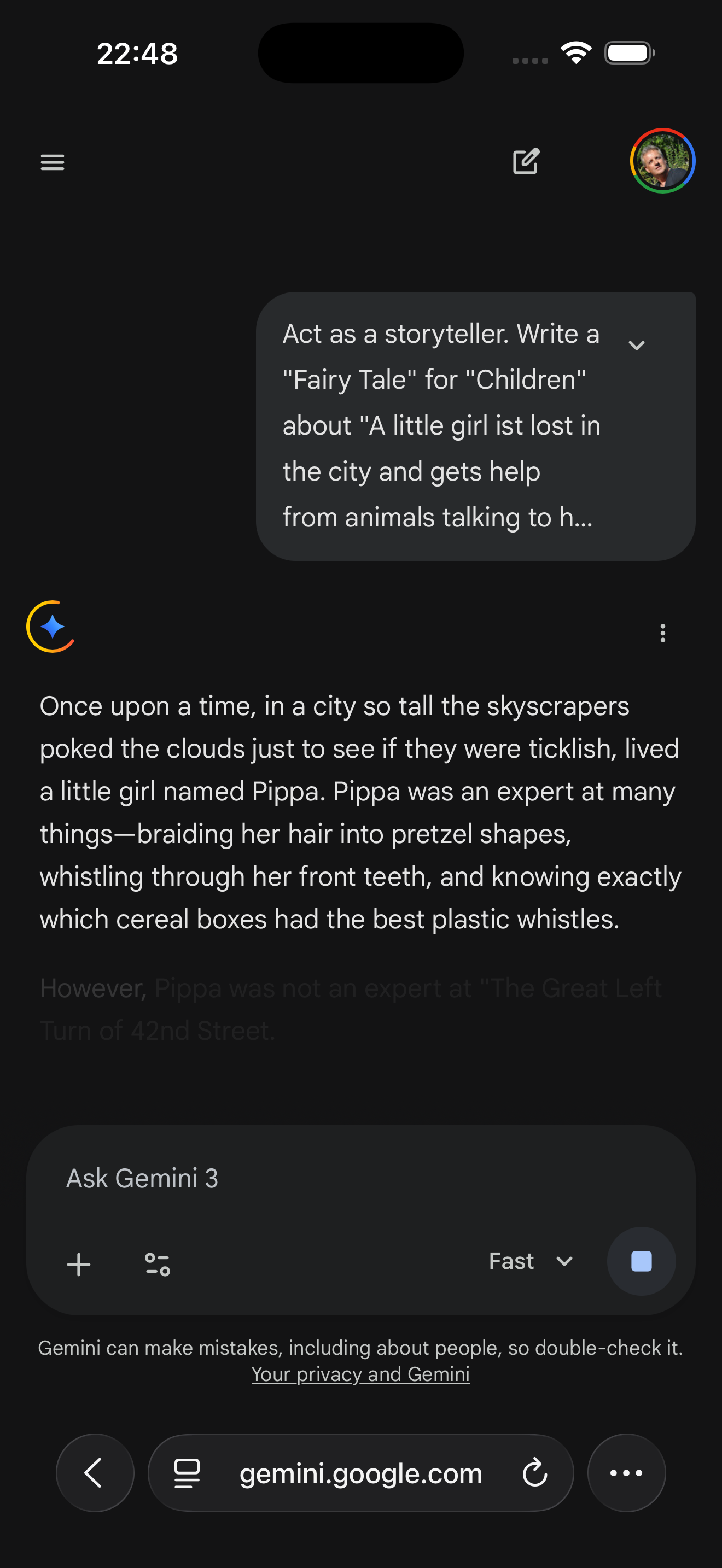
Works with ChatGPT, Claude, Gemini, and AI coding agents like Cursor. Optimize for any model, maintain variations of the same prompt.
No account needed. Your prompts never leave your Mac. Optional iCloud sync uses your own private cloud.
Just getting started with AI? PUCO shows you what to ask — and how to ask it perfectly. Browse 100+ expert prompts and discover capabilities you never imagined, from photo restoration to comic book transformations. No prompt engineering knowledge required — just pick from a dropdown.
“I didn't know AI could do that until I saw the dropdown options. Now I use it daily.”
Your prompt library, searchable and ranked by usage, one keystroke away. Build templates for code explanation, refactoring, and test generation with variables for language and framework. Prompt Memory lets you iterate — tweak the focus area, re-copy, compare outputs.
“Hit the hotkey, select 'Explain Code', pick the focus area from the dropdown, paste result. 5 seconds flat.”
Manage multiple client accounts with templates that include brand guidelines as global suffixes. Smart forms ensure consistent tone, emoji style, and hashtag count every time. Prompt Memory means switching between client contexts is a single dropdown change.
“Switching between client contexts is a simple selection, not manual document hunting.”
Analyzing interview transcripts with consistent methodology. Templates ensure every interaction follows the same framework. Iterate rapidly by adjusting one parameter at a time while Prompt Memory keeps everything else locked in.
“Standardization makes research reproducible and findings defensible.”
How PUCO stacks up against traditional methods.
| Feature | Text Files | Note Apps | Browser Bookmarks | PUCO |
|---|---|---|---|---|
| Smart Form Generation | ❌ | ❌ | ❌ | ✅ |
| Guided Discovery | ❌ | ❌ | ❌ | ✅ |
| System-Wide Hotkey | ❌ | ❌ | ❌ | ✅ |
| Prompt Memory (Iteration) | ❌ | ❌ | ❌ | ✅ |
| Multi-LLM Support | ❌ | ❌ | ❌ | ✅ |
| Search Depth | ⚠️ | ⚠️ | ❌ | ✅ |
| On-Device Privacy | ✅ | ⚠️ | ⚠️ | ✅ |
Yes. PUCO is model-agnostic. Use it with ChatGPT, Claude, Gemini, or local models like LLaMA. It manages the prompt creation — you choose the engine.
The free tier includes 100+ ready-to-use AI prompts across creative, business, coding, and daily life categories. A new prompt is added weekly. Pro unlocks the Prompt Editor to create, edit, and import your own interactive templates — plus a new expert prompt delivered daily.
Every form remembers your last-used values. That means you can run a prompt, adjust one slider or dropdown, copy again, and compare AI outputs. It turns PUCO from a one-shot tool into a rapid iteration workflow.
100% on-device. No account needed. Your prompts never leave your Mac. Optional iCloud sync uses your own private cloud — we literally cannot see your data.
Currently macOS and iOS only. PUCO is built 100% in SwiftUI with deep native integration into the Apple ecosystem.