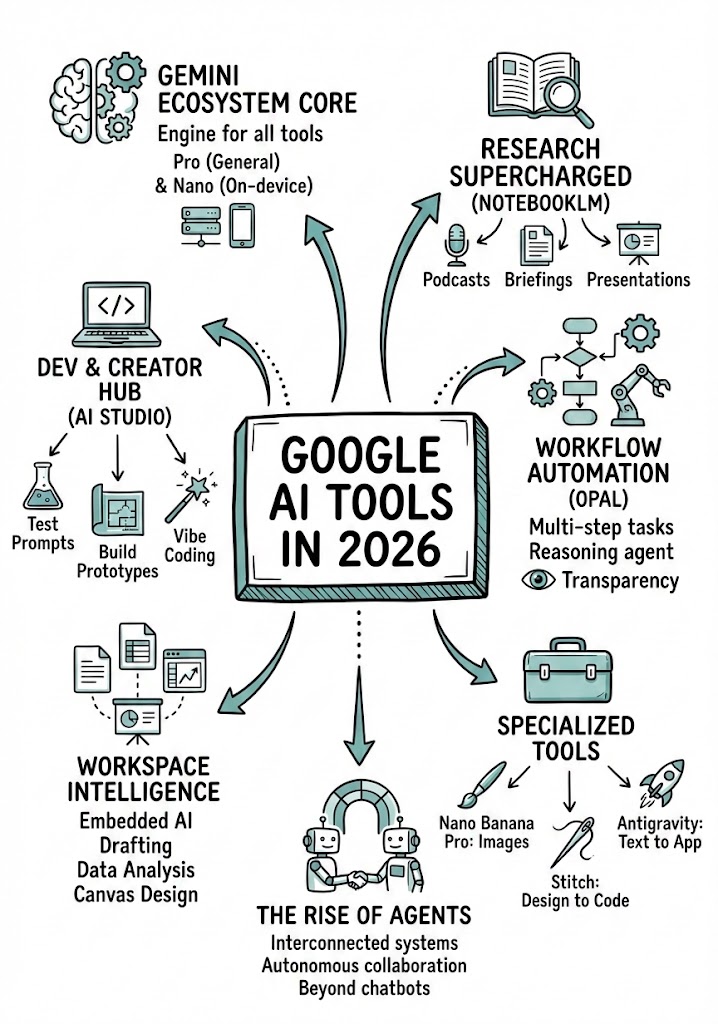
Analysiert eine YouTube-Video-URL, um die wichtigsten Konzepte zu extrahieren, und erstellt eine handgezeichnete Infografik-Zusammenfassung (Sketchnote) des Inhalts.
Analyze the YouTube video regarding {{Topic: Take from the video context}} located at: {{YouTube URL: https://youtu.be/...}}.

First, summarize the content into small, digestible concepts to learn easily.

Once analyzed, create a hand-drawn sketchnote visual summary of these notes using the following specifications:
- Background: Pristine white paper (no lines).
- Art Style: 'Graphic recording' or 'visual thinking' using black ink fine-liners for clear outlines and text.
- Colors: {{Accent Colors:Teal, Orange, Muted Red, Emerald Green, Navy Blue, Mustard Yellow, Charcoal Grey, Royal Purple}} for simple shading and accents.
- Composition: Center the main title in a 3D-style rectangular box. Surround the title with radially distributed simple doodles, business icons, stick figures, and graphs that explain the concepts. Use arrows to connect ideas.
- Text: Distinct, handwritten, all-caps printing, legible and organized like a professional brainstorming session.
- Orientation: A4 Vertical layout.
Prompt-Anleitung
Ideal für
Einen strukturierten, wiederverwendbaren Prompt statt eines leeren Chats als Ausgangspunkt nutzen.
Den Prompt an eigene Eingaben anpassen, während die ursprüngliche Absicht erhalten bleibt.
Workflows rund um Education & Academic, Creative & Visuals, Design & Art.
So wird's verwendet
Die vollständige Prompt-Vorlage kopieren.
Jede Variable durch den eigenen Kontext ersetzen oder eine der vorgeschlagenen Optionen wählen.
Den fertiggestellten Prompt in ChatGPT, Claude, Gemini oder einen anderen KI-Assistenten einfügen.
Variablen in diesem Prompt
Topic
Take from the video context
YouTube URL
https://youtu.be/...
Accent Colors
Teal, Orange, Muted Red, Emerald Green, Navy Blue, Mustard Yellow, Charcoal Grey, Royal Purple
Beispiel-Einstieg
Analyze the YouTube video regarding Take from the video context located at: https://youtu.be/....

First, summarize the content into small, digestible concepts to learn easily.

Once analyzed, create a hand-drawn sketchnote visual summary of these notes using the following specifications:
- Background: Pristine white paper (no lines).
- Art Style: 'Graphic recording' or 'visual thinking' using black ink fine-liners for clear outlines and text.
- Colors: Teal for simple shading and accents.
- Composition: Center the main title in a 3D-style rectangular box. Surround the title with radially distributed simple doodles, business icons, stick figures, and graphs that explain the concepts. Use arrows to connect ideas.
- Text: Distinct, handwritten, all-caps printing, legible and organized like a professional brainstorming session.
- Orientation: A4 Vertical layout.
So funktionieren Variablen
Variablen-Syntax
Variablen sind in {{ und }} eingeschlossen und folgen diesem Muster:
{{variable name: option1, option2, option3}}
Vordefinierte Variablen
Eine Auswahl kann auf eine vordefinierte Variablenliste per eckige Klammern verweisen. Diese erscheinen in [Orange] und bieten häufig verwendete Werte wie Farben, Töne oder Sprachen.
{{Tone: [tones]}}
Eigene Auswahllisten
Du kannst auch eine durch Kommas getrennte Inline-Liste mit Optionen angeben.
Tipp: Du brauchst die PUCO-App nicht, um diese Prompts zu verwenden! Kopiere einfach die Vorlage und ersetze jeden {{…}}-Abschnitt direkt in ChatGPT, Claude, Gemini oder einem anderen KI-Assistenten durch eigenen Text.
Diesen Prompt in Sekunden nutzen – nicht Minuten
PUCO für Mac installieren: Tastenkürzel drücken, Smart Form ausfüllen, in ChatGPT, Claude oder Gemini einfügen. Jede Variable wird zu einem kuratierten Dropdown. Deine letzten Werte werden gespeichert.
Transforms an uploaded image into a highly detailed 3D plastic building Lego block diorama while preserving the original composition, subjects, and lighting.