适用场景
- 以结构化、可复用的提示词为起点,而非空白对话框。
- 根据自己的需求调整提示词,同时保持原始意图不变。
- 与Kitchen & Food相关的工作流。

根据当前可用食材和饮食限制生成食谱。
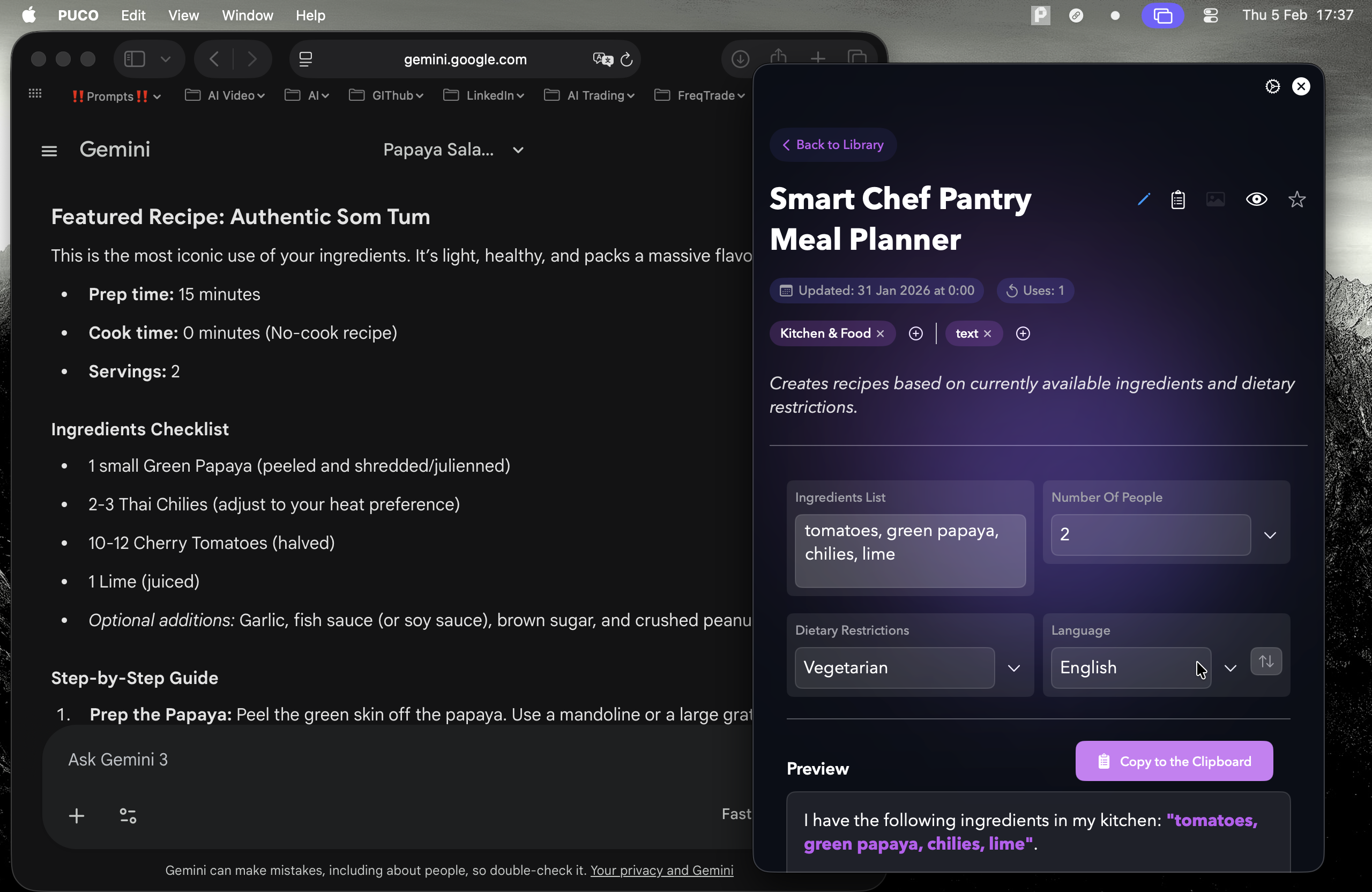
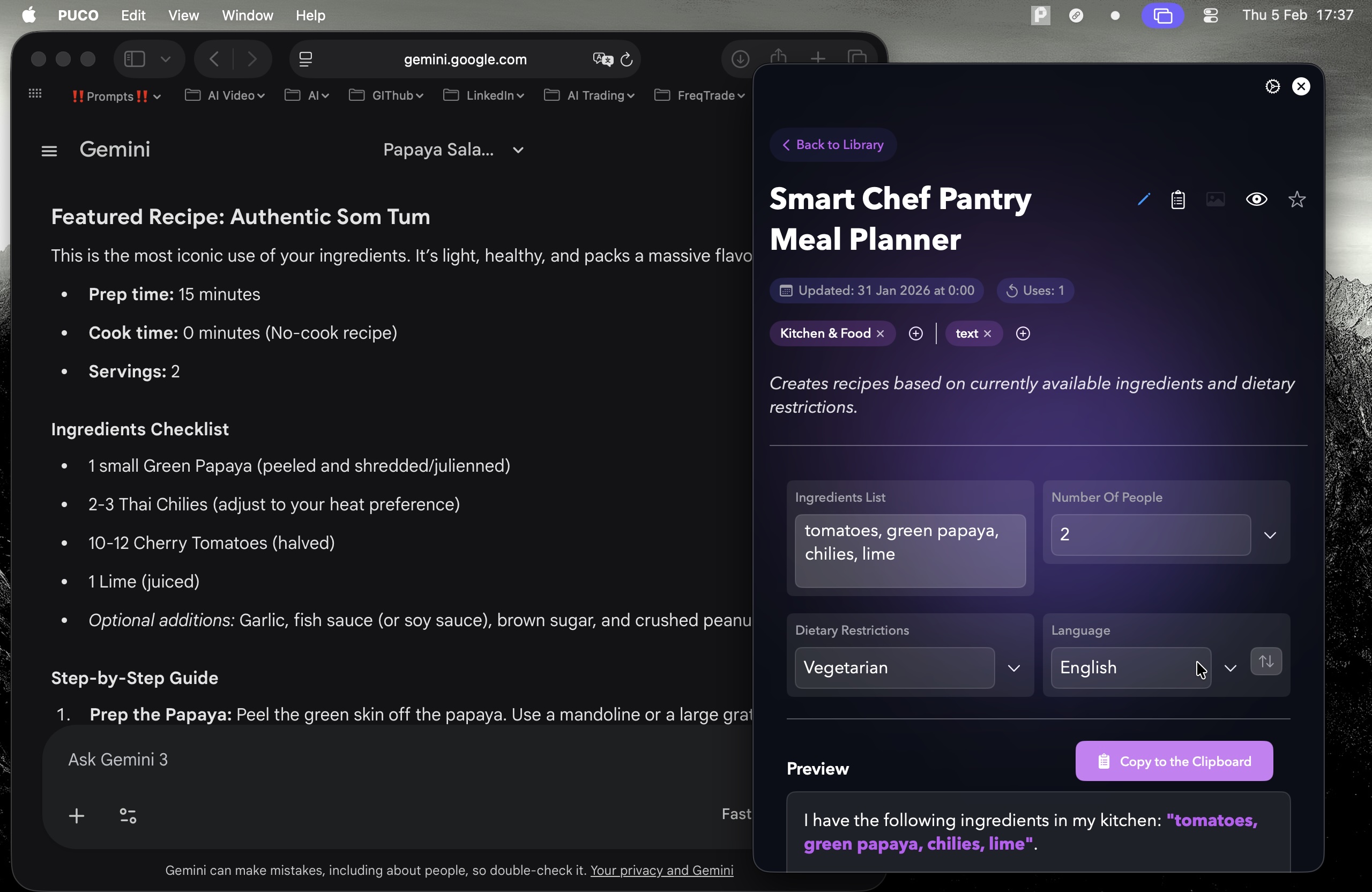
I have the following ingredients in my kitchen: {{Ingredients List}}.

I need to cook a meal for {{Number of People: 1, 2, 3-4, 5+}} people.
Dietary Restrictions: {{Dietary Restrictions: None, Vegan, Vegetarian, Keto, Gluten-Free, Paleo}}.

Suggest 2 distinct recipes I can make. For the chosen recipe, provide a step-by-step cooking guide and an estimated cooking time.
输入自定义值
1, 2, 3-4, 5+
None, Vegan, Vegetarian, Keto, Gluten-Free, Paleo
I have the following ingredients in my kitchen: your ingredients list.

I need to cook a meal for 1 people.
Dietary Restrictions: None.

Suggest 2 distinct recipes I can make. For the chosen recipe, provide a step-by-step cooking guide and an estimated cooking time.
变量被 {{ 和 }} 包裹,遵循以下格式:
选项可以通过方括号引用预定义变量列表。这些选项以[橙色]显示,提供颜色、语气或语言等常用值。
也可以提供以逗号分隔的内联选项列表。
提示:使用这些提示词无需 PUCO 应用!只需复制模板,直接在 ChatGPT、Claude、Gemini 或任何其他 AI 助手中将每个 {{…}} 部分替换为自己的文本。