เหมาะสำหรับ
- เริ่มจากพรอมต์ที่มีโครงสร้างและใช้ซ้ำได้ แทนที่จะเป็นแชทเปล่า
- ปรับพรอมต์ให้เข้ากับข้อมูลของคุณ โดยยังคงเจตนาเดิมไว้
- เวิร์กโฟลว์ที่เกี่ยวข้องกับ Design & Art

ผสานภาพถ่ายสมจริงเข้ากับคำอธิบายเชิงเทคนิคที่วาดด้วยมือและโอเวอร์เลย์แบบแผนผังบนพื้นหลังสีขาวสะอาด
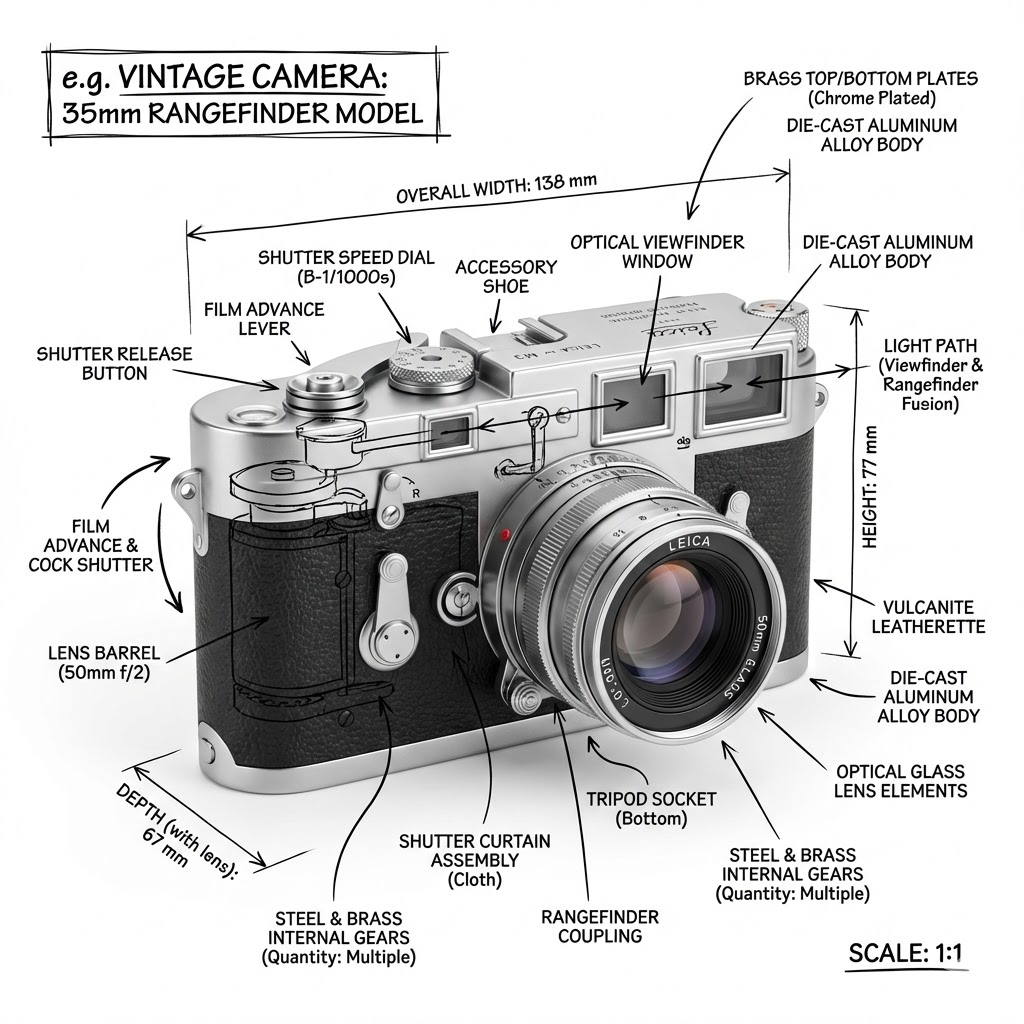
Create an infographic image of {{Object:e.g. Vintage Camera, A sportshoe from ON, The Eiffel Tower, The Colloseum, A Nuclear Powerplant, The Niagara Falls}}, combining a realistic photograph or photoreal render of the object with technical annotation overlays placed directly on top. Use black ink–style line drawings and text (technical pen / architectural sketch look) on a pure white studio background, including: Key component labels, internal cutaway or exploded-view outlines, measurements, dimensions, and scale markers, material callouts and quantities, and arrows indicating {{Indicated Function:function, force, or flow}}. Place the title {{Object:e.g. Vintage Camera}} inside a hand-drawn technical annotation box in one corner. Style rules: The real object remains clearly visible beneath the annotations; annotations feel sketched and architectural; clean composition with balanced negative space; educational engineering-manual vibe. Color palette: White background, black annotation lines and text only. Aspect ratio: {{Aspect Ratio:1:1, 16:9, 4:5}}.
e.g. Vintage Camera, A sportshoe from ON, The Eiffel Tower, The Colloseum, A Nuclear Powerplant, The Niagara Falls
function, force, or flow
1:1, 16:9, 4:5
Create an infographic image of e.g. Vintage Camera, combining a realistic photograph or photoreal render of the object with technical annotation overlays placed directly on top. Use black ink–style line drawings and text (technical pen / architectural sketch look) on a pure white studio background, including: Key component labels, internal cutaway or exploded-view outlines, measurements, dimensions, and scale markers, material callouts and quantities, and arrows indicating function. Place the title e.g. Vintage Camera inside a hand-drawn technical annotation box in one corner. Style rules: The real object remains clearly visible beneath the annotations; annotations feel sketched and architectural; clean composition with balanced negative space; educational engineering-manual vibe. Color palette: White background, black annotation lines and text only. Aspect ratio: 1:1.
ตัวแปรจะอยู่ภายใน {{ และ }} และเป็นไปตามรูปแบบนี้:
ตัวเลือกสามารถอ้างอิงรายการตัวแปรที่กำหนดไว้ล่วงหน้าโดยใช้วงเล็บเหลี่ยม ตัวเลือกเหล่านี้จะแสดงเป็น[สีส้ม]และให้ค่าที่ใช้บ่อย เช่น สี โทน หรือภาษา
คุณยังสามารถระบุรายการตัวเลือกแบบอินไลน์ โดยคั่นด้วยเครื่องหมายจุลภาคได้
เคล็ดลับ: คุณไม่จำเป็นต้องใช้แอป PUCO เพื่อใช้พรอมต์เหล่านี้! เพียงคัดลอกเทมเพลตและแทนที่แต่ละส่วน {{…}} ด้วยข้อความของคุณเองโดยตรงใน ChatGPT, Claude, Gemini หรือผู้ช่วย AI อื่น ๆ