Ideale per
- Partire da un prompt strutturato e riutilizzabile invece di una chat vuota.
- Adattare il prompt ai propri input mantenendo intatto l'intento originale.
- Flussi di lavoro legati a Design & Art.

Combina fotografia realistica con annotazioni tecniche disegnate a mano e sovrapposizioni schematiche su uno sfondo bianco pulito.
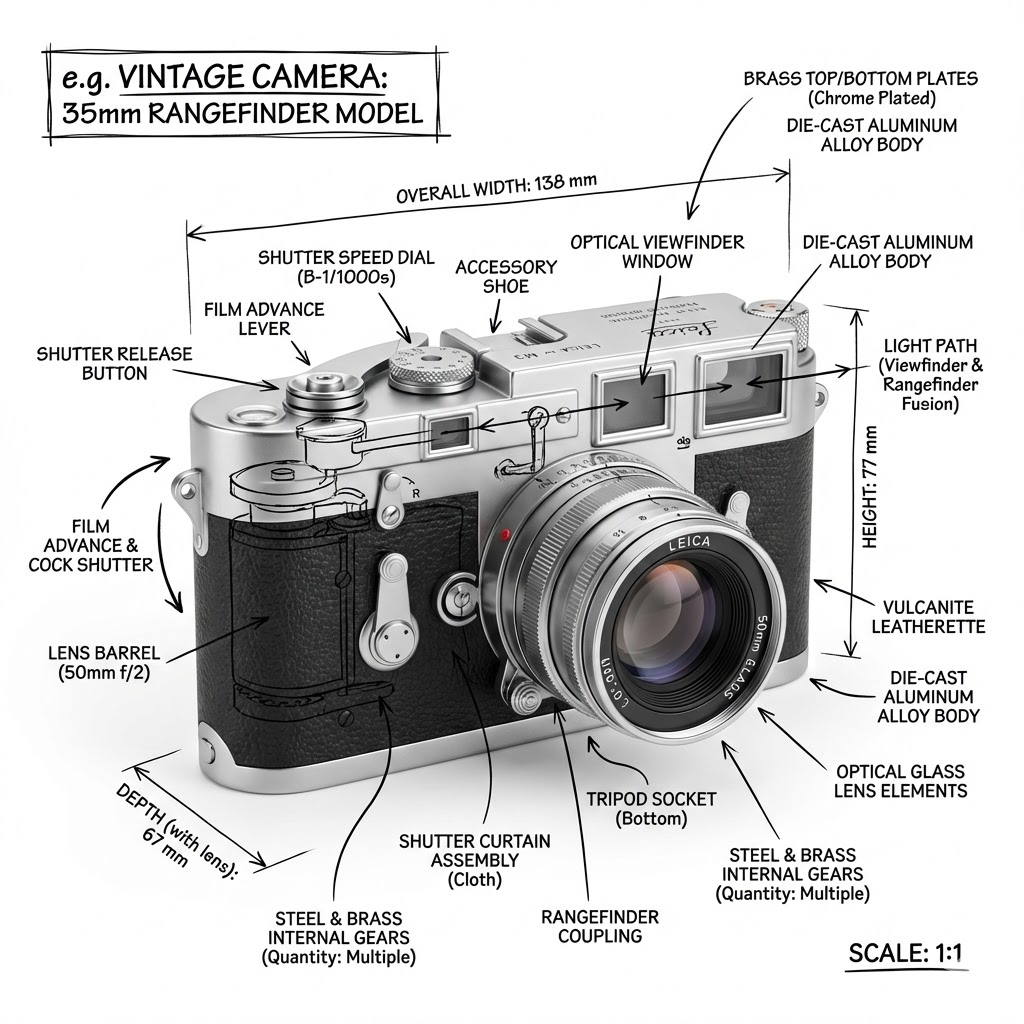
Create an infographic image of {{Object:e.g. Vintage Camera, A sportshoe from ON, The Eiffel Tower, The Colloseum, A Nuclear Powerplant, The Niagara Falls}}, combining a realistic photograph or photoreal render of the object with technical annotation overlays placed directly on top. Use black ink–style line drawings and text (technical pen / architectural sketch look) on a pure white studio background, including: Key component labels, internal cutaway or exploded-view outlines, measurements, dimensions, and scale markers, material callouts and quantities, and arrows indicating {{Indicated Function:function, force, or flow}}. Place the title {{Object:e.g. Vintage Camera}} inside a hand-drawn technical annotation box in one corner. Style rules: The real object remains clearly visible beneath the annotations; annotations feel sketched and architectural; clean composition with balanced negative space; educational engineering-manual vibe. Color palette: White background, black annotation lines and text only. Aspect ratio: {{Aspect Ratio:1:1, 16:9, 4:5}}.
e.g. Vintage Camera, A sportshoe from ON, The Eiffel Tower, The Colloseum, A Nuclear Powerplant, The Niagara Falls
function, force, or flow
1:1, 16:9, 4:5
Create an infographic image of e.g. Vintage Camera, combining a realistic photograph or photoreal render of the object with technical annotation overlays placed directly on top. Use black ink–style line drawings and text (technical pen / architectural sketch look) on a pure white studio background, including: Key component labels, internal cutaway or exploded-view outlines, measurements, dimensions, and scale markers, material callouts and quantities, and arrows indicating function. Place the title e.g. Vintage Camera inside a hand-drawn technical annotation box in one corner. Style rules: The real object remains clearly visible beneath the annotations; annotations feel sketched and architectural; clean composition with balanced negative space; educational engineering-manual vibe. Color palette: White background, black annotation lines and text only. Aspect ratio: 1:1.
Le variabili sono racchiuse tra {{ e }} e seguono questo schema:
Una selezione può fare riferimento a un elenco di variabili predefinito usando le parentesi quadre. Appaiono in [arancione] e forniscono valori di uso comune come colori, toni o lingue.
Puoi anche fornire un elenco di scelte in linea, separate da virgole.
Suggerimento: non hai bisogno dell'app PUCO per usare questi prompt! Copia semplicemente il modello e sostituisci ogni sezione {{…}} con il tuo testo direttamente in ChatGPT, Claude, Gemini o qualsiasi altro assistente IA.