Best For
- Starting from a structured, reusable prompt instead of a blank chat.
- Adapting the prompt to your own inputs while keeping the original intent intact.
- Workflows related to Creative & Visuals.

Transforms the weather, season, and atmospheric conditions of an attached architectural rendering while maintaining complete structural fidelity.
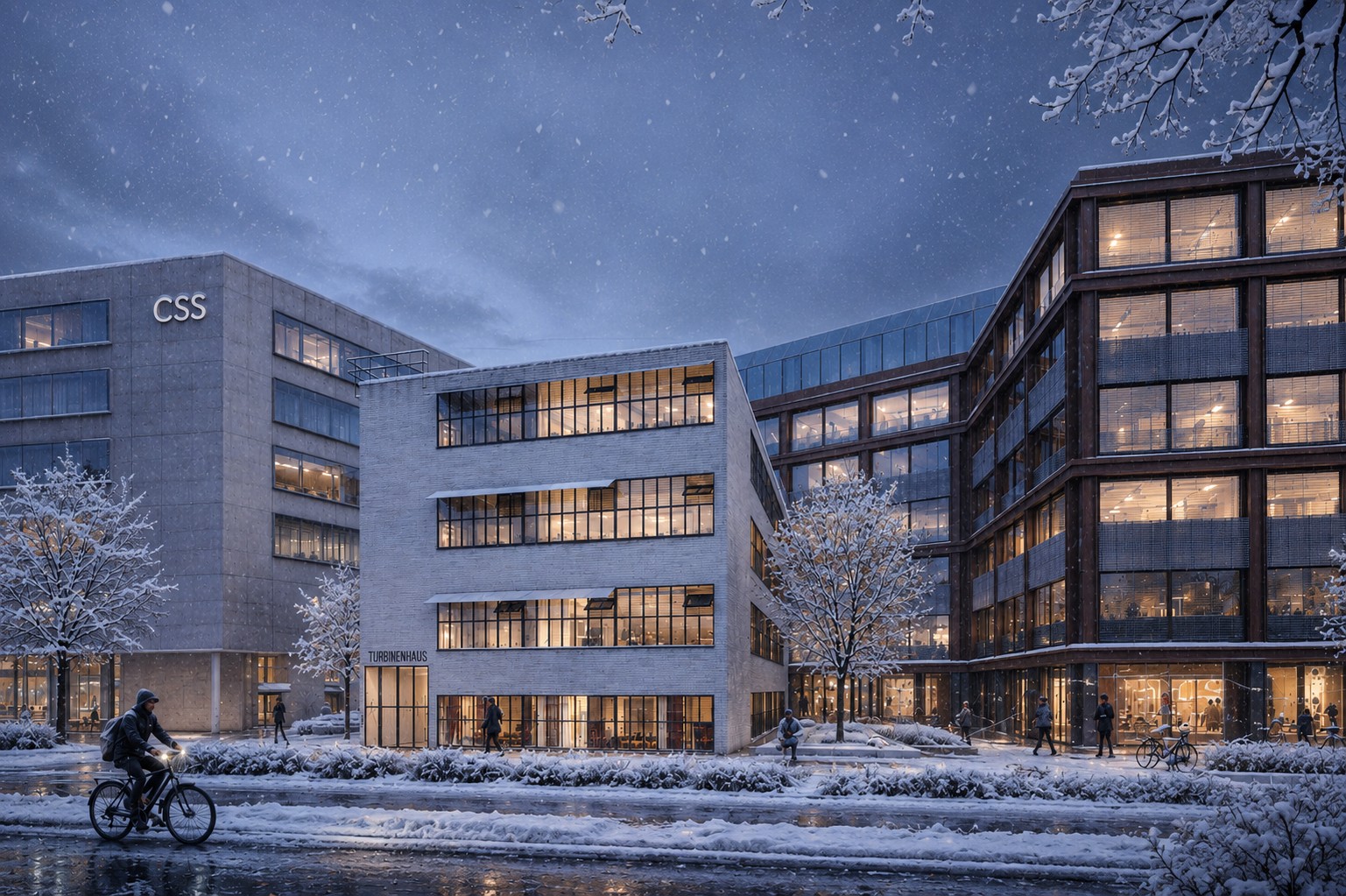
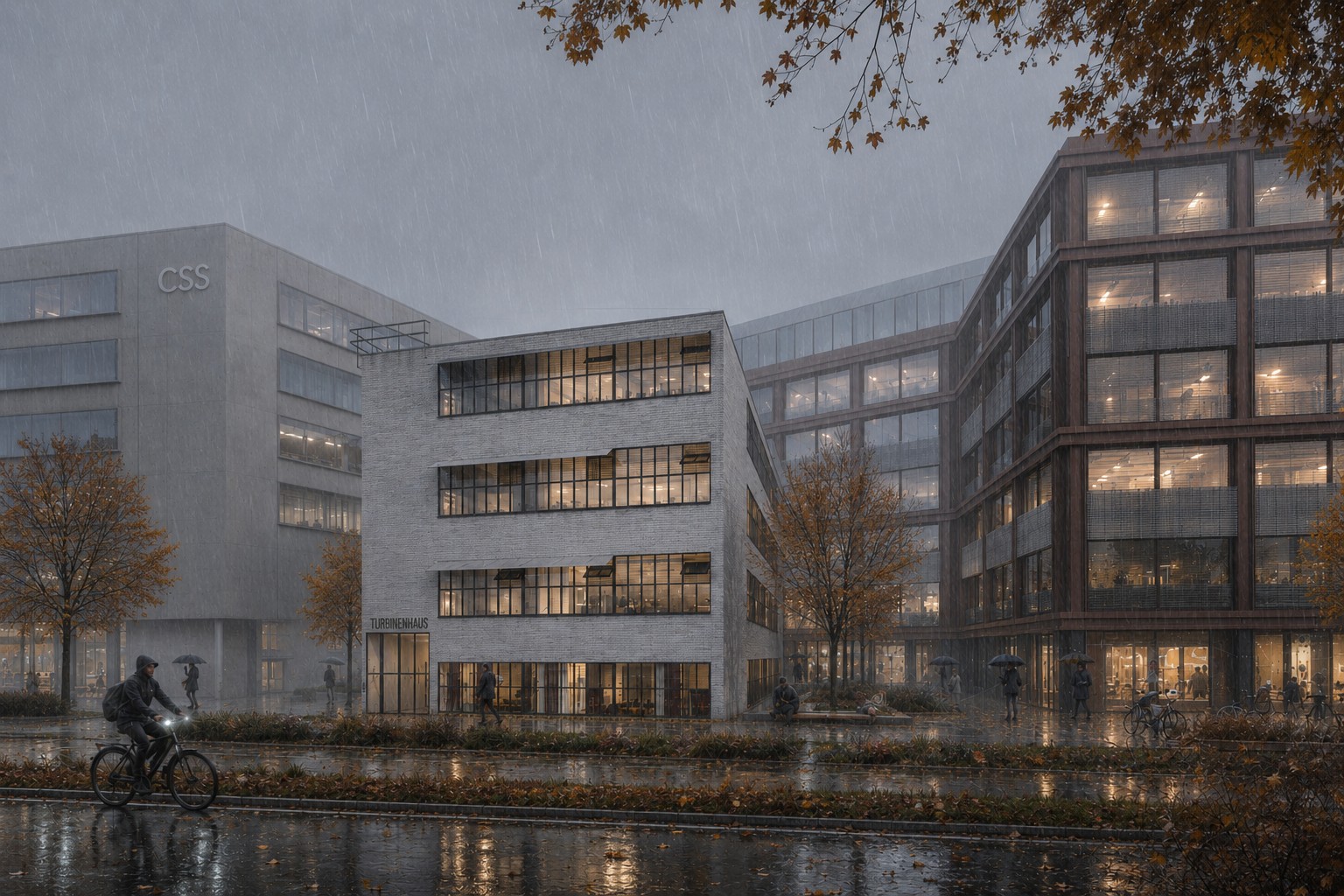
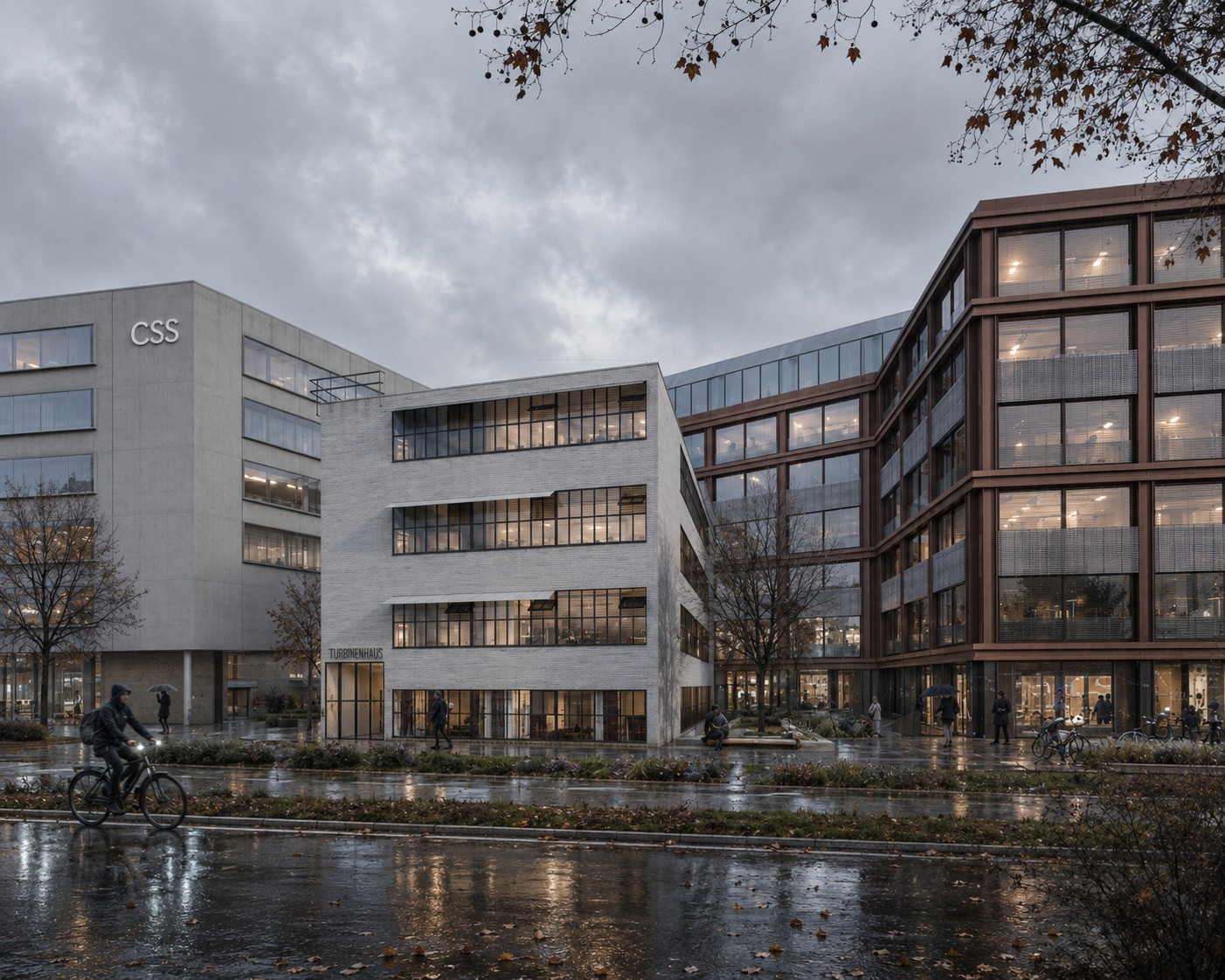
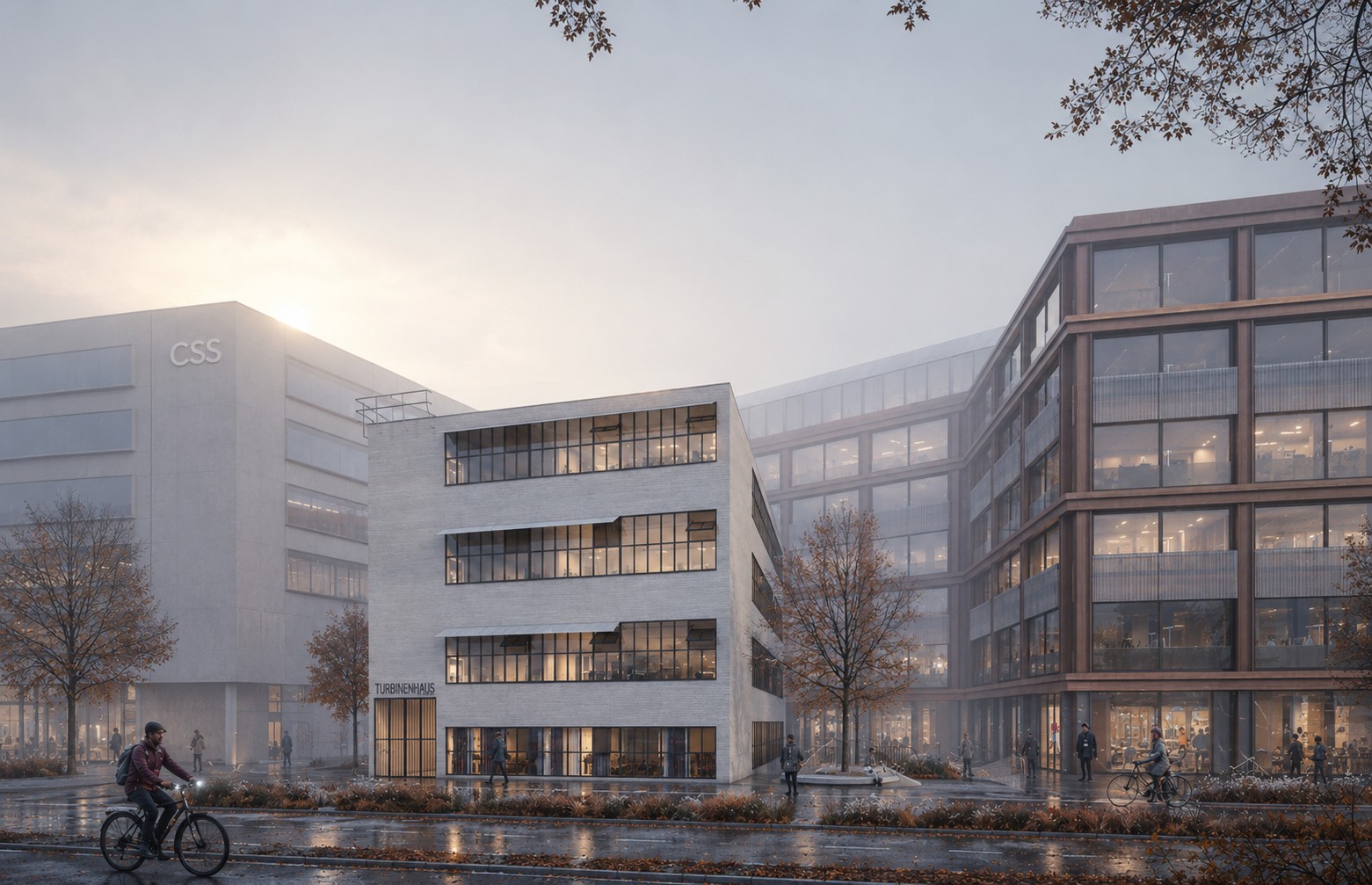
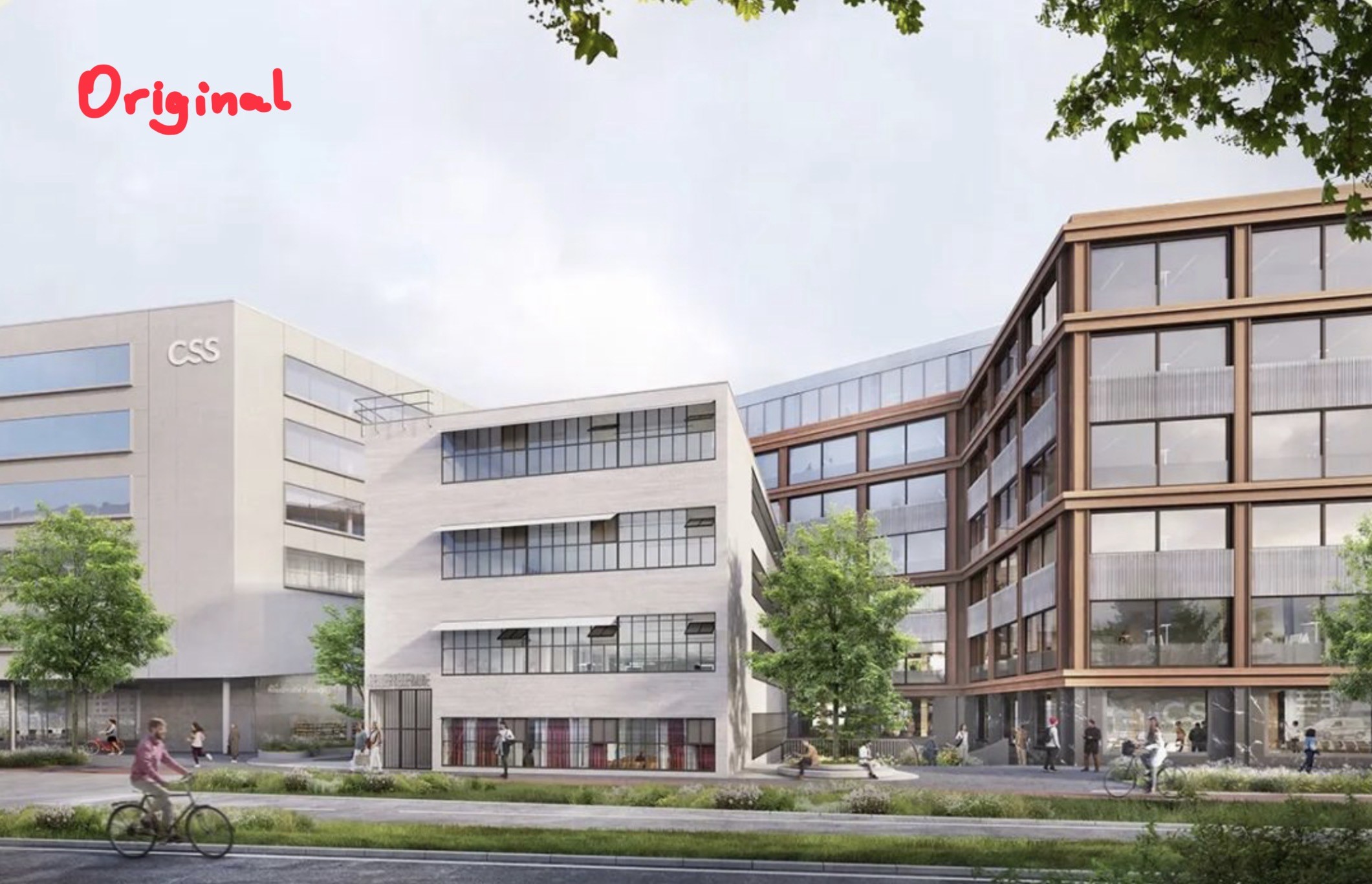
Transform the attached architectural visualization image into a realistic {{Target Atmosphere: Rainy November Afternoon, Sunny Summer Morning, Foggy Autumn Dawn, Snowy Winter Twilight, Golden Hour Sunset, Overcast Monsoon Storm, Crisp Spring Noon, Moody Cyberpunk Night, Mist-Covered Sunrise, Clear Starry Night}} in {{Location: Central Europe, Northern Europe, Mediterranean, North America, South America, East Asia, Southeast Asia, South Asia, Middle East, North Africa, Sub-Saharan Africa, Australia}}.

Preserve the exact camera position, composition, building geometry, proportions, materials, landscaping layout, and architectural details. Do not redesign or move any elements.

Change only the weather, season, lighting, and atmosphere to match the selected target:
- Sky adjusted to match the setting (e.g., overcast with thick clouds, clear sky, or low sun)
- Weather effects like {{Weather Intensity: None, Light, Moderate, Heavy}} visible throughout the scene
- Ground and building surfaces updated with realistic wetness, reflections, or snow accumulation
- Color palette adjusted to match the typical lighting of the chosen season and location
- Foliage conditions adjusted: {{Foliage: Bare with sparse leaves, Fully green, Vibrant autumn colors, Covered in snow, Tropical and lush}}
- Seasonal elements like fallen leaves, snow drifts, or dry dust scattered appropriately across sidewalks and streets
- Ambient grass condition modified to look damp, lush, dry, or snow-covered
- Atmospheric moisture, fog, or haze reducing distant contrast when applicable
- Lighting adjusted to fit the time of day (e.g., soft diffused daylight, harsh direct sunlight, or warm low-angle sun)
- Interior lights switched on or off to create believable contrast against the exterior environment
- Weather-specific details added (e.g., small puddles, water streaks on concrete, glass, and metal façades)
- People wearing context-appropriate clothing and carrying relevant accessories like umbrellas
- Vehicles with headlights configured correctly for the visibility conditions

Overall mood: {{Mood: Cold and wet, Warm and bright, Foggy and mysterious, Crisp and snowy, Cozy and cinematic}}, yet believable and visually appealing architectural photography.
Style: high-end architectural visualization, photorealistic, competition-quality render, natural lighting, realistic environment simulation, subtle cinematic atmosphere, not dramatic or dystopian.

Maintain 100% architectural fidelity to the original image while only changing seasonal and weather conditions. Do not change architecture, building dimensions, façade design, window layout, materials, landscaping design, camera angle, focal length, perspective, or urban layout. No redesign, no additional buildings, no structural modifications.
Rainy November Afternoon, Sunny Summer Morning, Foggy Autumn Dawn, Snowy Winter Twilight, Golden Hour Sunset, Overcast Monsoon Storm, Crisp Spring Noon, Moody Cyberpunk Night
Central Europe, Northern Europe, Mediterranean, North America, South America, East Asia, Southeast Asia, South Asia
None, Light, Moderate, Heavy
Bare with sparse leaves, Fully green, Vibrant autumn colors, Covered in snow, Tropical and lush
Cold and wet, Warm and bright, Foggy and mysterious, Crisp and snowy, Cozy and cinematic
Transform the attached architectural visualization image into a realistic Rainy November Afternoon in Central Europe.

Preserve the exact camera position, composition, building geometry, proportions, materials, landscaping layout, and architectural details. Do not redesign or move any elements.

Change only the weather, season, lighting, and atmosphere to match the selected target:
- Sky adjusted to match the setting (e.g., overcast with thick clouds, clear sky, or low sun)
- Weather effects like None visible throughout the scene
- Ground and building surfaces updated with realistic wetness, reflections, or snow accumulation
- Color palette adjusted to match the typical lighting of the chosen season and location
- Foliage conditions adjusted: Bare with sparse leaves
- Seasonal elements like fallen leaves, snow drifts, or dry dust scattered appropriately across sidewalks and streets
-...
Variables are wrapped in {{ and }} and follow this pattern:
A selection can reference a predefined variable list using square brackets. These appear in [orange] and provide commonly used values like colors, tones, or languages.
You can also provide an inline list of choices separated by commas.
Tip: You don't need the PUCO app to use these prompts! Simply copy the template and replace each {{…}} section with your own text directly in ChatGPT, Claude, Gemini, or any other AI assistant.