Best For
- Starting from a structured, reusable prompt instead of a blank chat.
- Adapting the prompt to your own inputs while keeping the original intent intact.
- Workflows related to Creative & Visuals.

Transforms the subject of an image into a vintage Blythe doll style with customizable outfits, settings, and lighting.
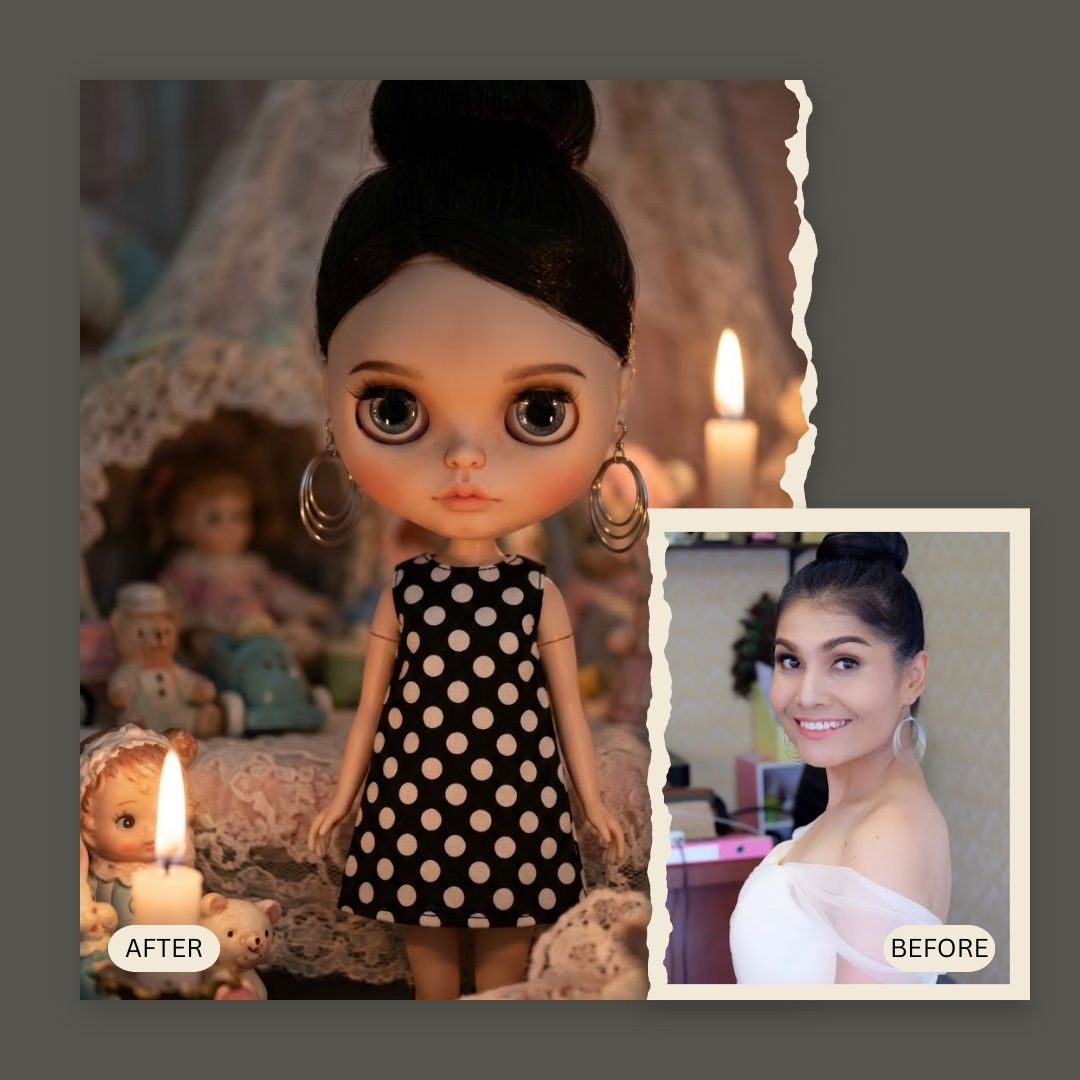
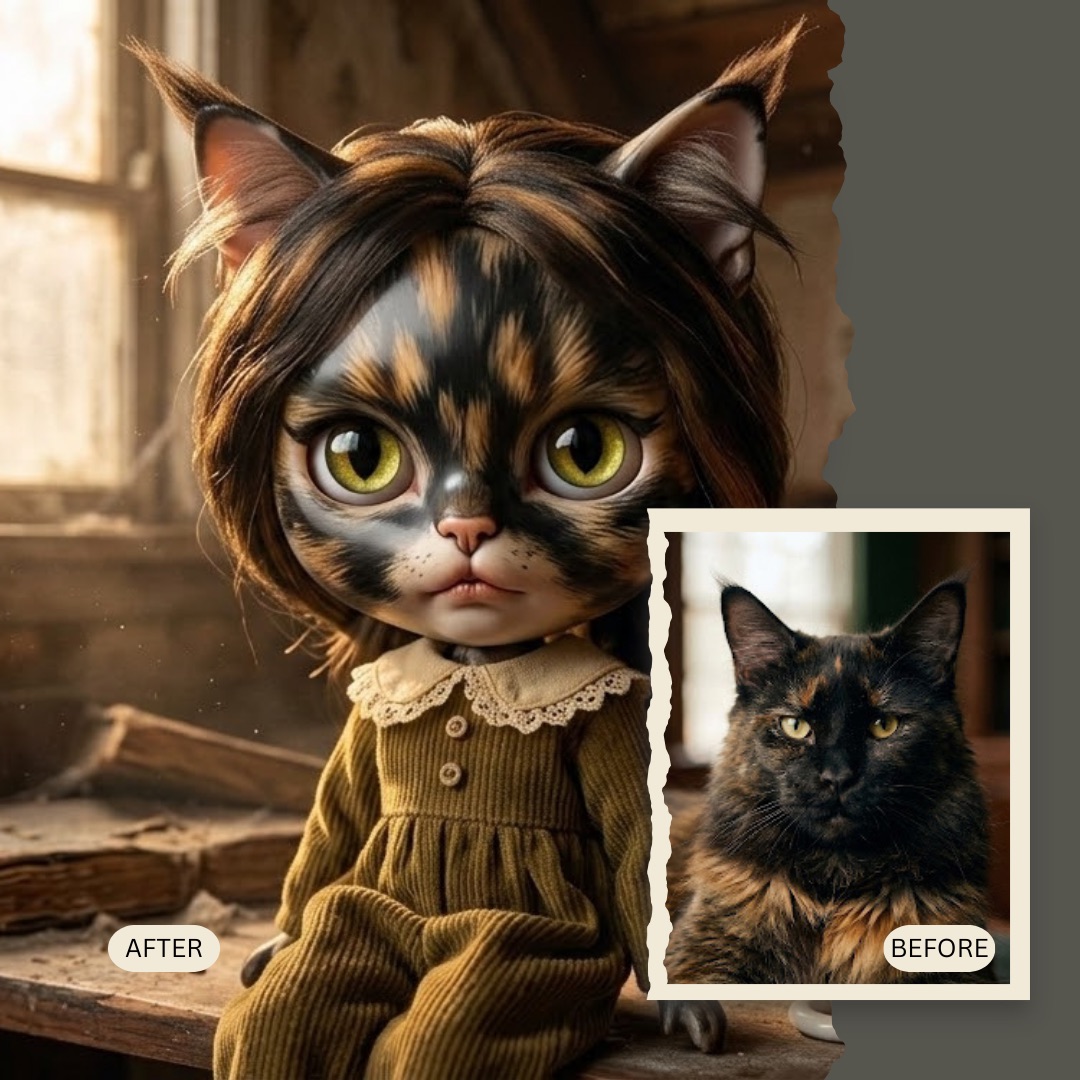
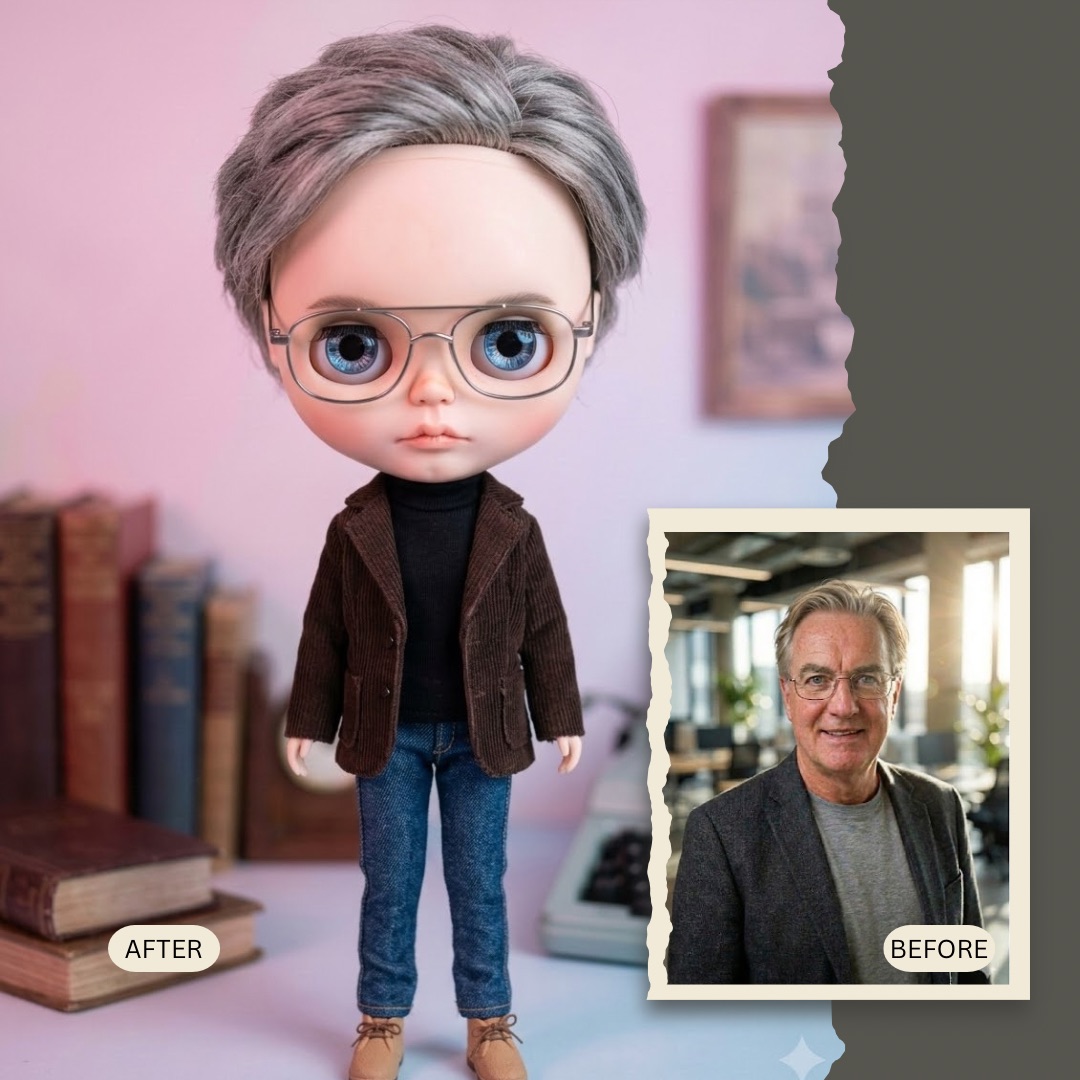
Generate a high-detail toy photography portrait transforming {{Subject:the subject in the attached image}} into a vintage Blythe doll style. Features include oversized glossy glass eyes, a delicate small nose, soft pouty lips, smooth porcelain skin, and a slightly oversized head. The subject is wearing a {{Outfit:1960s Floral Dress, Peter Pan Collar Romper, Vintage Lace Gown, Polka Dot Mod Dress, Knitted Cardigan & Skirt, Sailor Suit}} and is situated in a {{Setting:Miniature Garden, Enchanted Forest, Vintage Living Room, Abandoned Attic, Pastel Dreamscape}}. Use {{Lighting:Whimsical Pastel, Golden Hour, Studio Softbox, Dim Candlelight, Dreamy Haze}} lighting to create a creepy-cute vintage toy vibe.
the subject in the attached image
1960s Floral Dress, Peter Pan Collar Romper, Vintage Lace Gown, Polka Dot Mod Dress, Knitted Cardigan & Skirt, Sailor Suit
Miniature Garden, Enchanted Forest, Vintage Living Room, Abandoned Attic, Pastel Dreamscape
Whimsical Pastel, Golden Hour, Studio Softbox, Dim Candlelight, Dreamy Haze
Generate a high-detail toy photography portrait transforming the subject in the attached image into a vintage Blythe doll style. Features include oversized glossy glass eyes, a delicate small nose, soft pouty lips, smooth porcelain skin, and a slightly oversized head. The subject is wearing a 1960s Floral Dress and is situated in a Miniature Garden. Use Whimsical Pastel lighting to create a creepy-cute vintage toy vibe.
Variables are wrapped in {{ and }} and follow this pattern:
A selection can reference a predefined variable list using square brackets. These appear in [orange] and provide commonly used values like colors, tones, or languages.
You can also provide an inline list of choices separated by commas.
Tip: You don't need the PUCO app to use these prompts! Simply copy the template and replace each {{…}} section with your own text directly in ChatGPT, Claude, Gemini, or any other AI assistant.