Ideal für
- Einen strukturierten, wiederverwendbaren Prompt statt eines leeren Chats als Ausgangspunkt nutzen.
- Den Prompt an eigene Eingaben anpassen, während die ursprüngliche Absicht erhalten bleibt.
- Workflows rund um Creative & Visuals.

Verwandelt ein hochgeladenes Foto in ein dramatisches, farbenfrohes Filmplakat im Stil indischer Kino-Blockbuster.
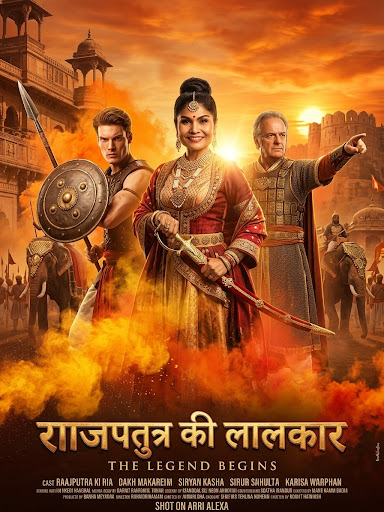
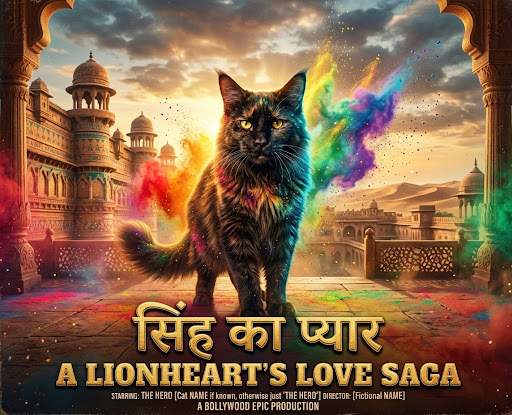

Transform the subject(s) in the attached photo into a grand Bollywood {{Genre: Epic Love Story, Science fiction, History Drama}} movie poster, dramatic heroic pose, swirling clouds of vibrant {{Colors: Pink and neon blue, Orange and yellow, Purple and green, Vibrant rainbow}} gulal powder, {{Background: Majestic palace courtyard, Bustling city street, Serene mountain temple, Genre typical Scenery}} background, intense cinematic lighting, ultra-realistic skin textures, 8k resolution, bold title font at the bottom.
Epic Love Story, Science fiction, History Drama
Pink and neon blue, Orange and yellow, Purple and green, Vibrant rainbow
Majestic palace courtyard, Bustling city street, Serene mountain temple, Genre typical Scenery
Transform the subject(s) in the attached photo into a grand Bollywood Epic Love Story movie poster, dramatic heroic pose, swirling clouds of vibrant Pink and neon blue gulal powder, Majestic palace courtyard background, intense cinematic lighting, ultra-realistic skin textures, 8k resolution, bold title font at the bottom.
Variablen sind in {{ und }} eingeschlossen und folgen diesem Muster:
Eine Auswahl kann auf eine vordefinierte Variablenliste per eckige Klammern verweisen. Diese erscheinen in [Orange] und bieten häufig verwendete Werte wie Farben, Töne oder Sprachen.
Du kannst auch eine durch Kommas getrennte Inline-Liste mit Optionen angeben.
Tipp: Du brauchst die PUCO-App nicht, um diese Prompts zu verwenden! Kopiere einfach die Vorlage und ersetze jeden {{…}}-Abschnitt direkt in ChatGPT, Claude, Gemini oder einem anderen KI-Assistenten durch eigenen Text.