Ideal para
- Começar a partir de um prompt estruturado e reutilizável em vez de um chat em branco.
- Adaptar o prompt aos seus próprios dados, mantendo intacta a intenção original.
- Fluxos de trabalho relacionados com Creative & Visuals.

Cria um modelo fotográfico completo do personagem com vistas de 360° com base em uma descrição em texto.
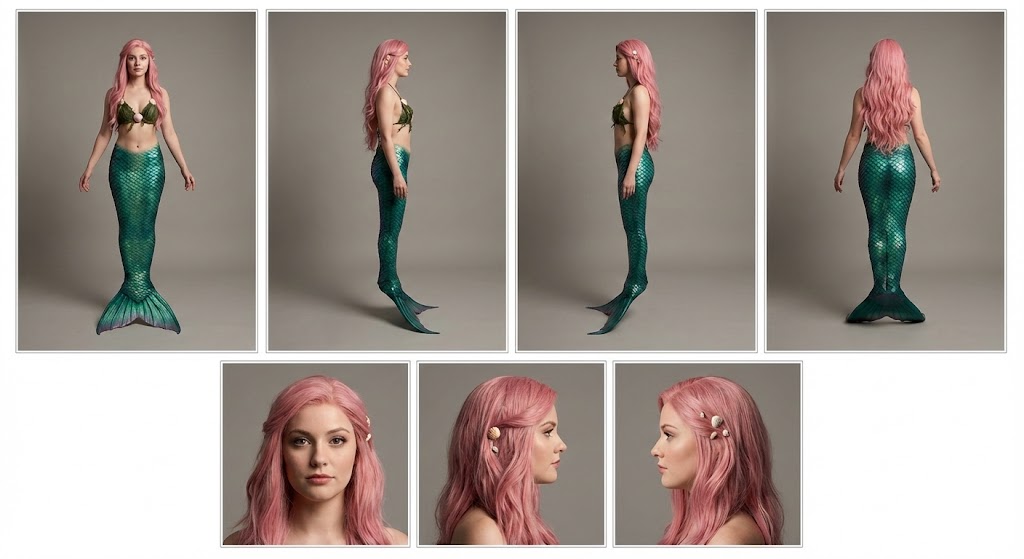
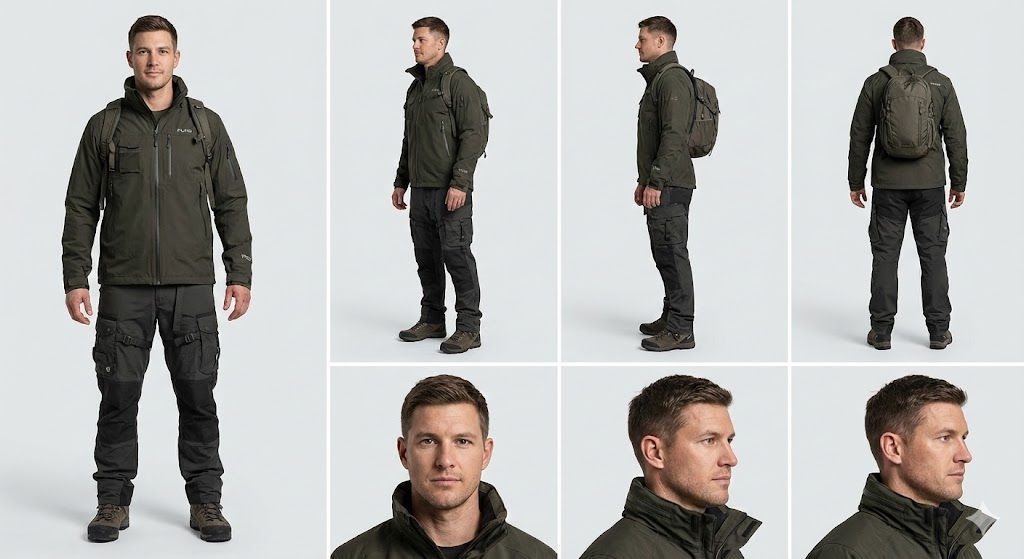
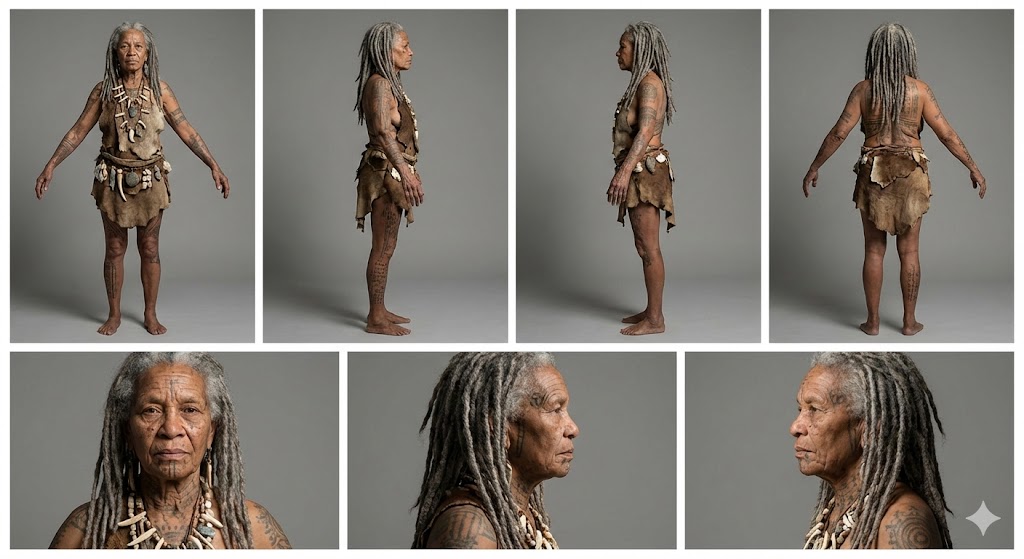
Create a professional character reference sheet of {{Character Description: e.g. An adventurer wearing a Puco-branded techwear jacket and cargo pants}}. Use a clean, neutral plain background and present the sheet as a technical model turnaround in a photographic style. Arrange the composition into two horizontal rows. Top row: four full-body standing views placed side-by-side in this order: front view, left profile view (facing left), right profile view (facing right), and back view. Bottom row: three highly detailed close-up portraits aligned beneath the full-body row in this order: front portrait, left profile portrait (facing left), and right profile portrait (facing right). Maintain perfect identity consistency across every panel. Keep the subject in a relaxed A-pose with consistent scale and alignment between views, accurate anatomy, and a clear silhouette. Ensure even spacing and clean panel separation, with uniform framing and consistent head height across the full-body lineup and consistent facial scale across the portraits. Lighting should be consistent across all panels (same direction, intensity, and softness), with natural, controlled shadows that preserve detail without dramatic mood shifts. Output a crisp, print-ready reference sheet look with sharp details.
e.g. An adventurer wearing a Puco-branded techwear jacket and cargo pants
Create a professional character reference sheet of e.g. An adventurer wearing a Puco-branded techwear jacket and cargo pants. Use a clean, neutral plain background and present the sheet as a technical model turnaround in a photographic style. Arrange the composition into two horizontal rows. Top row: four full-body standing views placed side-by-side in this order: front view, left profile view (facing left), right profile view (facing right), and back view. Bottom row: three highly detailed close-up portraits aligned beneath the full-body row in this order: front portrait, left profile portrait (facing left), and right profile portrait (facing right). Maintain perfect identity consistency across every panel. Keep the subject in a relaxed A-pose with consistent scale and alignment between views, accurate anatomy, and a clear silhouette. Ensure even spacing and clean panel separation...
As variáveis ficam entre {{ e }} e seguem este padrão:
Uma seleção pode fazer referência a uma lista de variáveis predefinida usando colchetes. Aparecem em [laranja] e fornecem valores comuns, como cores, tons ou idiomas.
Também pode fornecer uma lista de opções em linha, separadas por vírgulas.
Dica: não precisa da app PUCO para usar estes prompts! Basta copiar o modelo e substituir cada secção {{…}} pelo seu próprio texto diretamente no ChatGPT, Claude, Gemini ou qualquer outro assistente de IA.