Ideale per
- Partire da un prompt strutturato e riutilizzabile invece di una chat vuota.
- Adattare il prompt ai propri input mantenendo intatto l'intento originale.
- Flussi di lavoro legati a Creative & Visuals.

Trasforma un soggetto in un supereroe usando tecniche cinematografiche professionali, illuminazione cinematografica e texture della pelle realistiche.



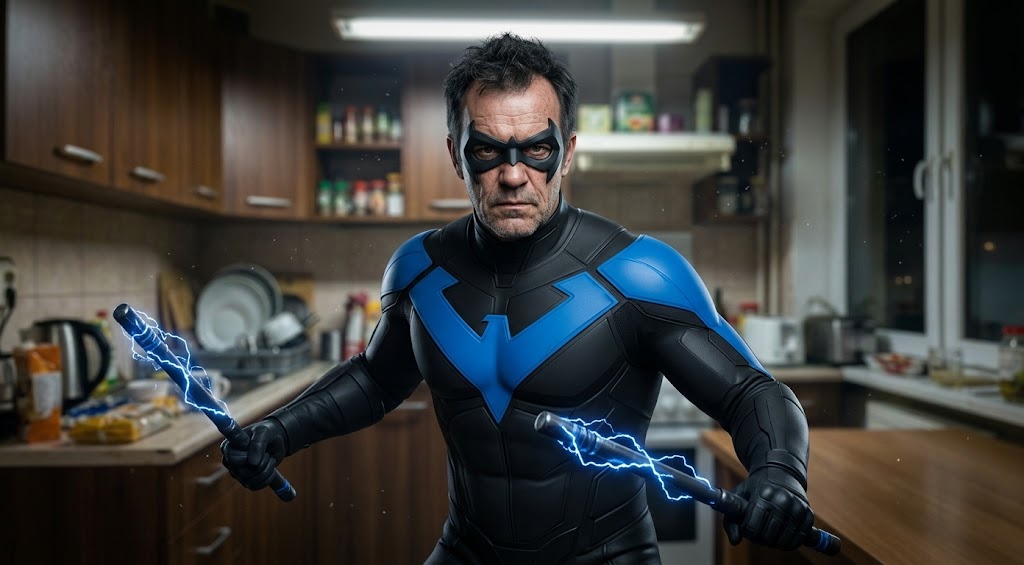
Analyze the subject in the uploaded file and transform them into {{Super Heroes: [super_heroes]}}. Apply {{Lighting: Cinematic, Three-point, Side/Rim, High Contrast, Soft Diffused}} to create depth and mood. Emulate a professional movie camera using a {{Camera Style: Shallow Depth of Field, 85mm Lens, Film Grain}} for a high-end aesthetic. Ensure the character features {{Skin & Makeup: Natural Film Makeup, Matte Finish, Realistic Pores}} to achieve a flawless yet realistic cinematic appearance.
[super_heroes]
Cinematic, Three-point, Side/Rim, High Contrast, Soft Diffused
Shallow Depth of Field, 85mm Lens, Film Grain
Analyze the subject in the uploaded file and transform them into [super_heroes]. Apply Cinematic to create depth and mood. Emulate a professional movie camera using a Shallow Depth of Field for a high-end aesthetic. Ensure the character features {{Skin & Makeup: Natural Film Makeup, Matte Finish, Realistic Pores}} to achieve a flawless yet realistic cinematic appearance.
Le variabili sono racchiuse tra {{ e }} e seguono questo schema:
Una selezione può fare riferimento a un elenco di variabili predefinito usando le parentesi quadre. Appaiono in [arancione] e forniscono valori di uso comune come colori, toni o lingue.
Puoi anche fornire un elenco di scelte in linea, separate da virgole.
Suggerimento: non hai bisogno dell'app PUCO per usare questi prompt! Copia semplicemente il modello e sostituisci ogni sezione {{…}} con il tuo testo direttamente in ChatGPT, Claude, Gemini o qualsiasi altro assistente IA.