Ideal para
- Empezar desde un prompt estructurado y reutilizable en lugar de un chat en blanco.
- Adaptar el prompt a tus propios datos manteniendo intacta la intención original.
- Flujos de trabajo relacionados con Design & Art.

Convierte una imagen subida en el estilo específico de un fotógrafo famoso.
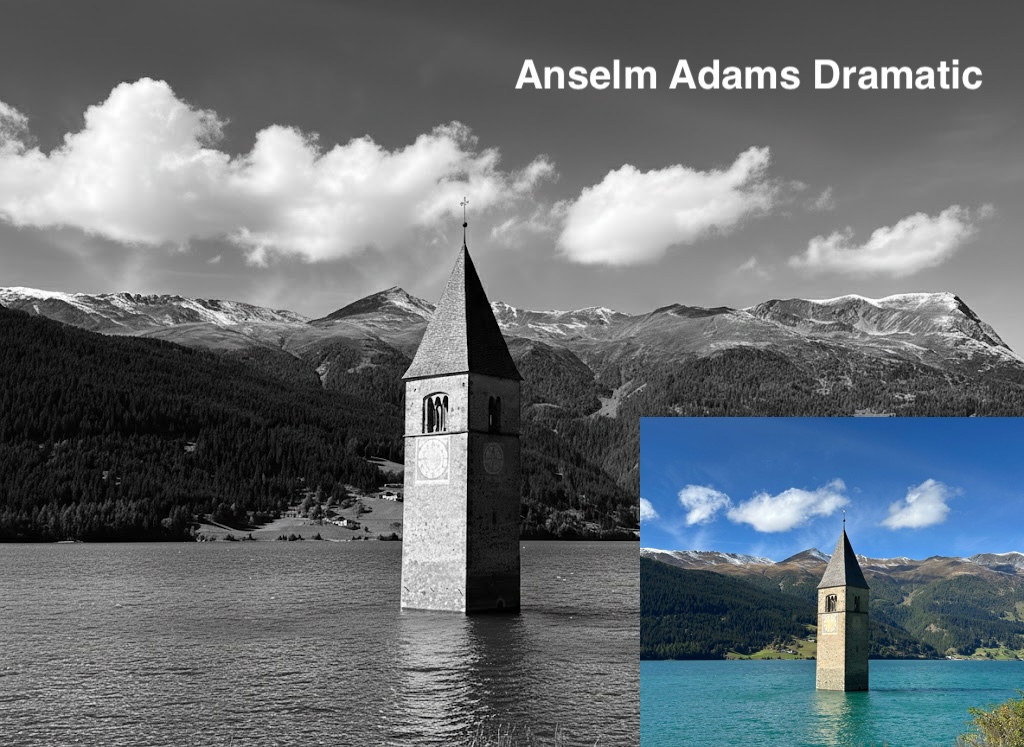
I have attached an image. Please follow these steps:

Step 1: Create a detailed description of the artistic style of {{Photographer:[photographers]}}, focusing on their lighting, composition, subject matter, and mood.

Step 2: Take the attached image and use the description from Step 1 to modify it.
[photographers]
I have attached an image. Please follow these steps:

Step 1: Create a detailed description of the artistic style of [photographers], focusing on their lighting, composition, subject matter, and mood.

Step 2: Take the attached image and use the description from Step 1 to modify it.
Las variables van entre {{ y }} y siguen este patrón:
Una selección puede hacer referencia a una lista de variables predefinida usando corchetes. Aparecen en [naranja] y proporcionan valores de uso común como colores, tonos o idiomas.
También puedes proporcionar una lista de opciones en línea, separadas por comas.
Consejo: ¡no necesitas la app PUCO para usar estos prompts! Solo copia la plantilla y sustituye cada sección {{…}} por tu propio texto directamente en ChatGPT, Claude, Gemini o cualquier otro asistente de IA.