
Ideal para
- Empezar desde un prompt estructurado y reutilizable en lugar de un chat en blanco.
- Adaptar el prompt a tus propios datos manteniendo intacta la intención original.
- Flujos de trabajo relacionados con Design & Art.
Convierte la foto de una persona en un diseño detallado de figura de acción, empaquetado a medida y con accesorios personalizados.
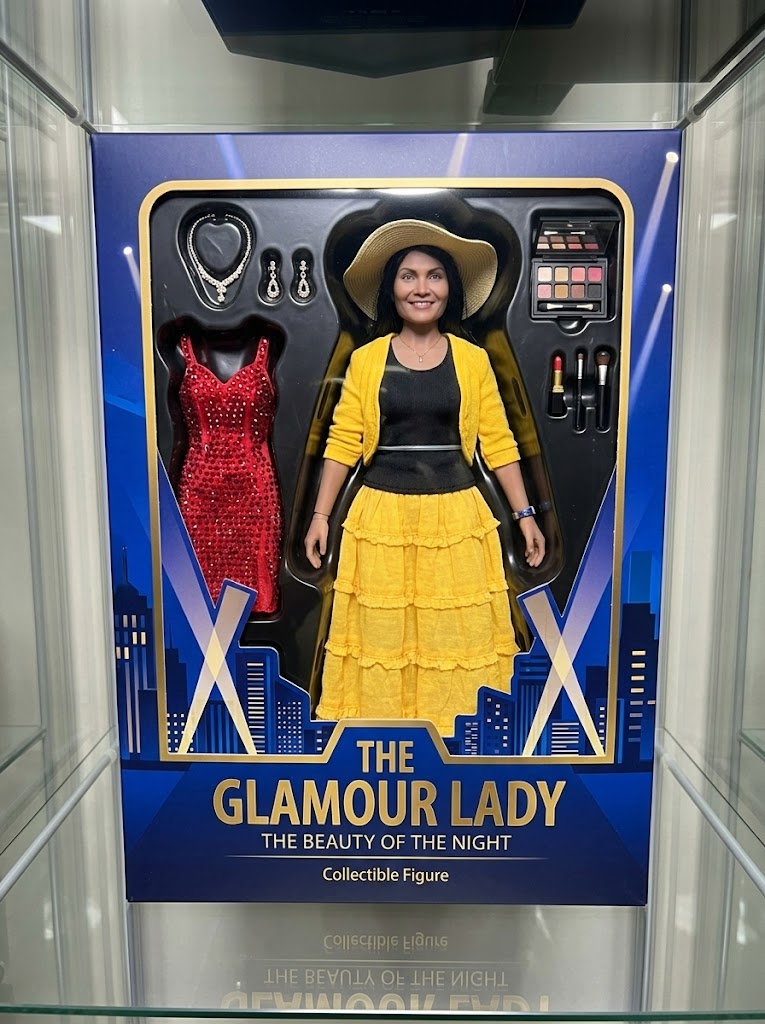
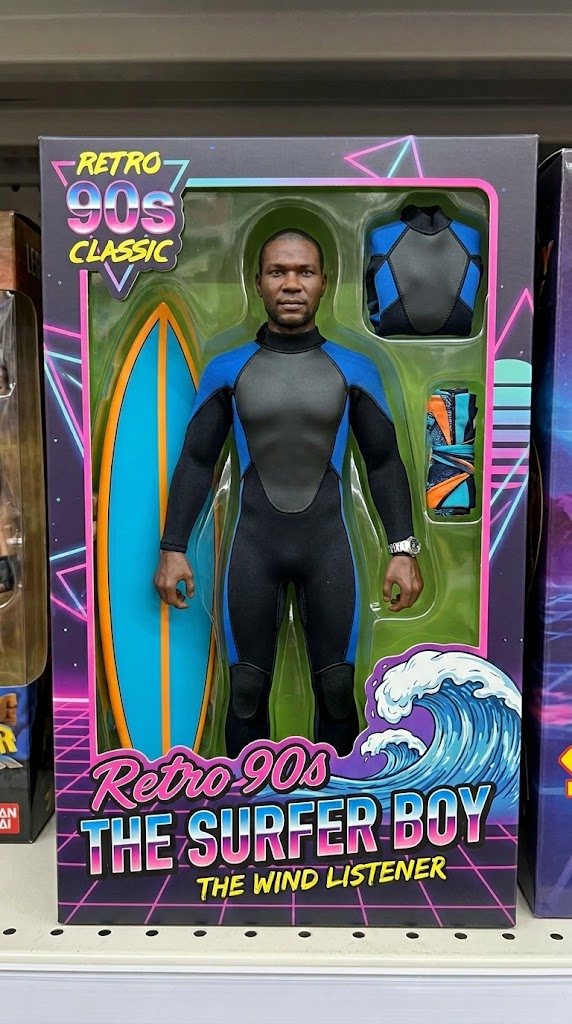
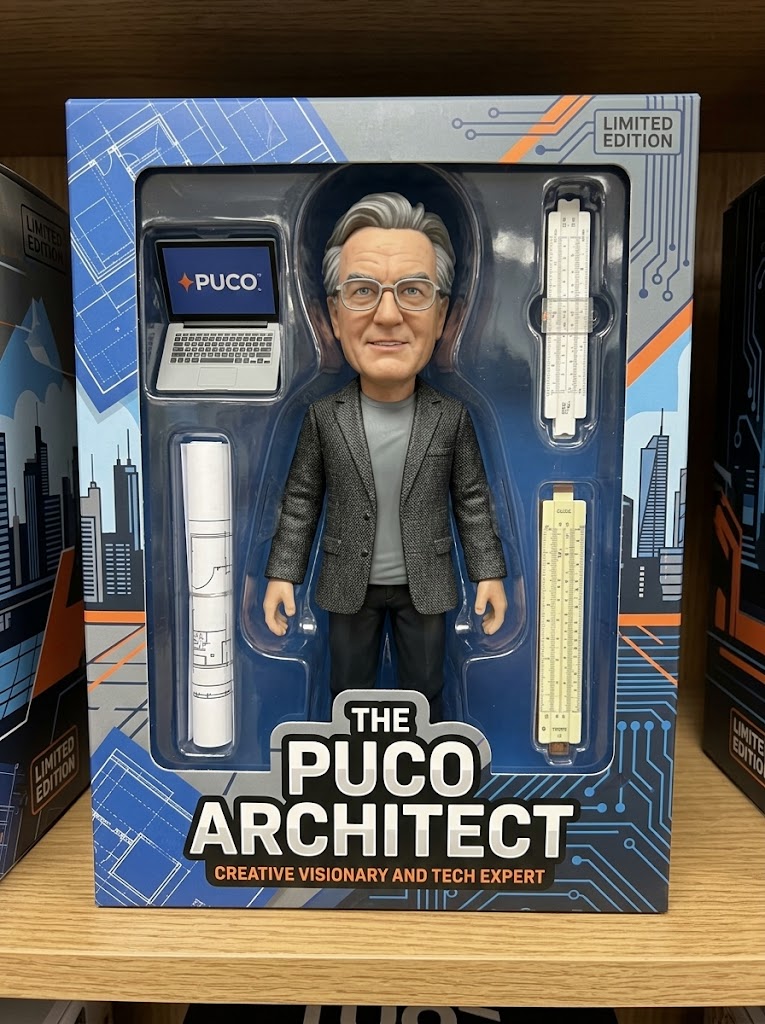
Generate a high-fidelity, realistic image of the person from the attached photo as a professional collectible action figure secured inside its retail window-box packaging. The figure's sculpt must accurately reflect the person's likeness and attire. The packaging should prominently display the name "{{Name:e.g. The PUCO Architect}}" and include at least three miniature accessories representing their interests, specifically: {{Accessories:e.g. a laptop with a PUCO sticker, a specialized toolkit, and a travel mug}}. The design style should be {{Style:Modern High-End, Retro 90s Classic, Stylized Vinyl, Cyberpunk}}. Ensure the box art and background graphics emphasize the character's vibe as {{Personality:e.g. a creative visionary and tech expert}}.
e.g. The PUCO Architect
e.g. a laptop with a PUCO sticker, a specialized toolkit, and a travel mug
Modern High-End, Retro 90s Classic, Stylized Vinyl, Cyberpunk
e.g. a creative visionary and tech expert
Generate a high-fidelity, realistic image of the person from the attached photo as a professional collectible action figure secured inside its retail window-box packaging. The figure's sculpt must accurately reflect the person's likeness and attire. The packaging should prominently display the name "e.g. The PUCO Architect" and include at least three miniature accessories representing their interests, specifically: e.g. a laptop with a PUCO sticker. The design style should be Modern High-End. Ensure the box art and background graphics emphasize the character's vibe as e.g. a creative visionary and tech expert.
Las variables van entre {{ y }} y siguen este patrón:
Una selección puede hacer referencia a una lista de variables predefinida usando corchetes. Aparecen en [naranja] y proporcionan valores de uso común como colores, tonos o idiomas.
También puedes proporcionar una lista de opciones en línea, separadas por comas.
Consejo: ¡no necesitas la app PUCO para usar estos prompts! Solo copia la plantilla y sustituye cada sección {{…}} por tu propio texto directamente en ChatGPT, Claude, Gemini o cualquier otro asistente de IA.