适用场景
- 以结构化、可复用的提示词为起点,而非空白对话框。
- 根据自己的需求调整提示词,同时保持原始意图不变。
- 与Design & Art相关的工作流。

生成专业的编辑风格信息图海报,可自定义标题、风格和配色方案。
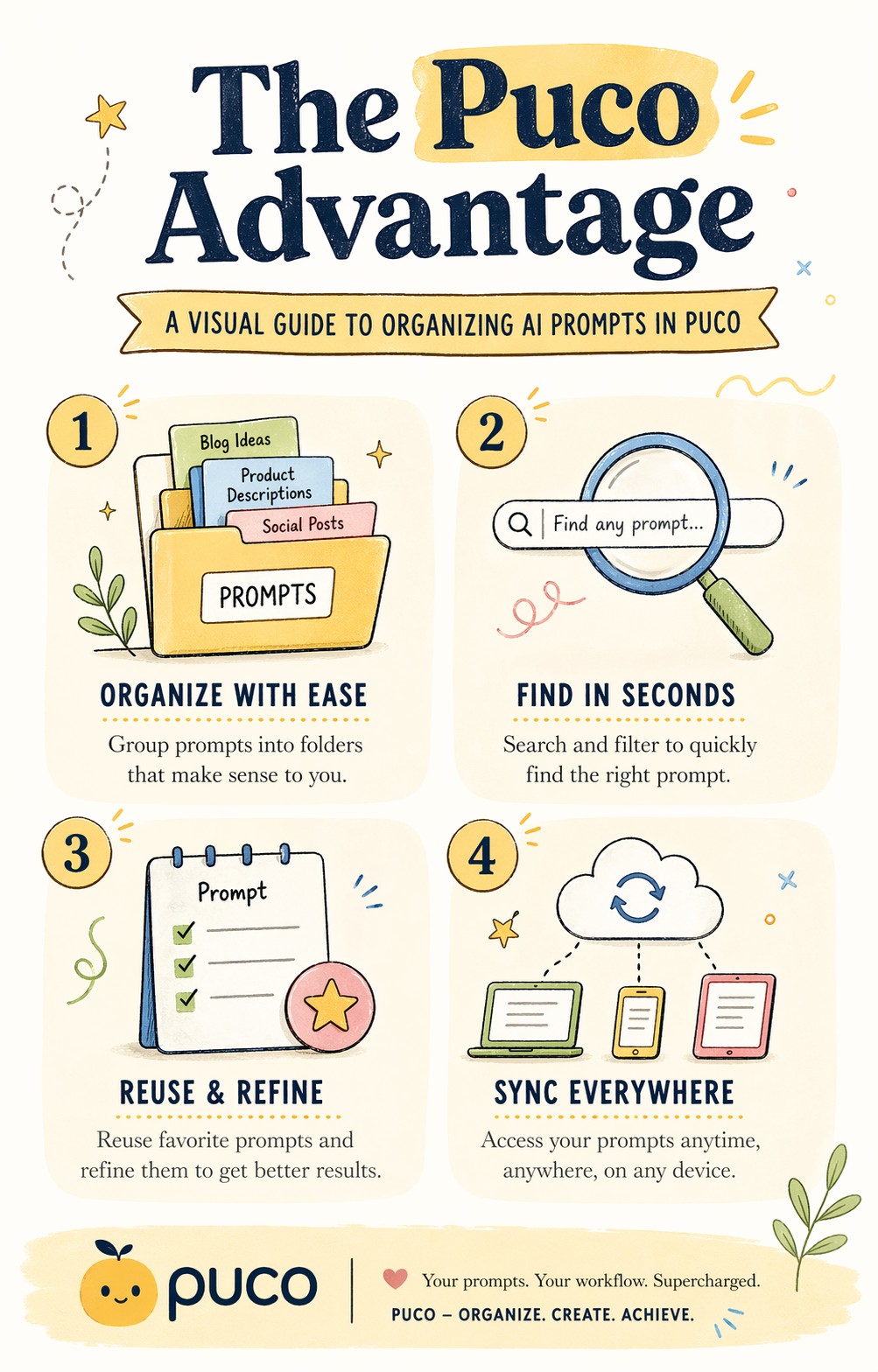
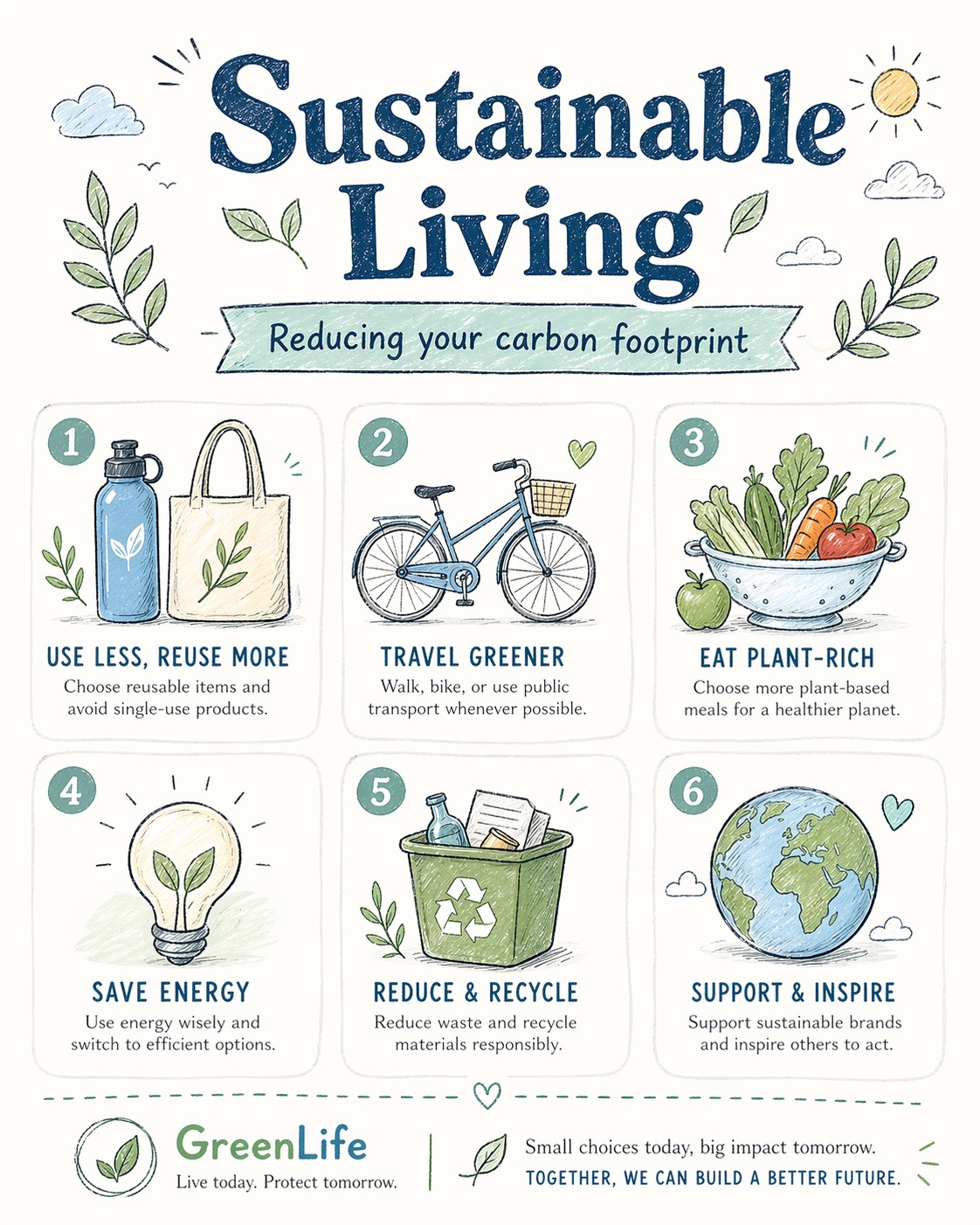
A bright, illustrated infographic poster titled "{{Headline: The Puco Workflow, Future of AI, Mastering Prompts, Digital Nomad Life, Sustainable Living, Tech Trends 2024, Productivity Hacks, Creative Mindset, Healthy Habits, Coding Best Practices}}". Sub headline: {{Sub headline: A guide to prompt engineering, How to scale your business, The evolution of neural networks, Tips for remote workers, Reducing your carbon footprint, Top gadgets this year, Time management techniques, Unlocking your potential, Meal prep for beginners, Debugging like a pro}}. Style: {{Style: Editorial Flat Design, Bauhaus Geometric, Retro Vaporwave, Minimalist Line Art, Corporate Memphis, Hand-Drawn Sketch, Cyberpunk Vector, Swiss Modernism}} — hand-drawn icons, playful but professional, similar to a Behance-award-winning social graphic. Color palette: {{Color Palette: Warm Pastels, Earthy Tones, Neon Cyber, Monochrome Blue, Sunset Gradient, Forest Green & Gold, Nordic Cool, Vibrant Pop Art}} on an off-white background. Layout: {{Section Count:4}} sections, each with a small icon and 2-line label. Title at top in bold playful serif. Footer with subtle branding area. Typography: mix of rounded sans-serif (headers) and light serif (body). All text clearly readable. Aspect ratio: {{Aspect Ratio: 4:5, 1:1, 16:9, 9:16}}. Negative constraints: no photorealism, no dark tones, no clipart, no blurry text, no stock-illustration generic look.
The Puco Workflow, Future of AI, Mastering Prompts, Digital Nomad Life, Sustainable Living, Tech Trends 2024, Productivity Hacks, Creative Mindset
A guide to prompt engineering, How to scale your business, The evolution of neural networks, Tips for remote workers, Reducing your carbon footprint, Top gadgets this year, Time management techniques, Unlocking your potential
Editorial Flat Design, Bauhaus Geometric, Retro Vaporwave, Minimalist Line Art, Corporate Memphis, Hand-Drawn Sketch, Cyberpunk Vector, Swiss Modernism
Warm Pastels, Earthy Tones, Neon Cyber, Monochrome Blue, Sunset Gradient, Forest Green & Gold, Nordic Cool, Vibrant Pop Art
4
4:5, 1:1, 16:9, 9:16
A bright, illustrated infographic poster titled "The Puco Workflow". Sub headline: A guide to prompt engineering. Style: Editorial Flat Design — hand-drawn icons, playful but professional, similar to a Behance-award-winning social graphic. Color palette: Warm Pastels on an off-white background. Layout: 4 sections, each with a small icon and 2-line label. Title at top in bold playful serif. Footer with subtle branding area. Typography: mix of rounded sans-serif (headers) and light serif (body). All text clearly readable. Aspect ratio: 4:5. Negative constraints: no photorealism, no dark tones, no clipart, no blurry text, no stock-illustration generic look.
变量被 {{ 和 }} 包裹,遵循以下格式:
选项可以通过方括号引用预定义变量列表。这些选项以[橙色]显示,提供颜色、语气或语言等常用值。
也可以提供以逗号分隔的内联选项列表。
提示:使用这些提示词无需 PUCO 应用!只需复制模板,直接在 ChatGPT、Claude、Gemini 或任何其他 AI 助手中将每个 {{…}} 部分替换为自己的文本。