
เหมาะสำหรับ
- เริ่มจากพรอมต์ที่มีโครงสร้างและใช้ซ้ำได้ แทนที่จะเป็นแชทเปล่า
- ปรับพรอมต์ให้เข้ากับข้อมูลของคุณ โดยยังคงเจตนาเดิมไว้
- เวิร์กโฟลว์ที่เกี่ยวข้องกับ Creative & Visuals
ปรับเปลี่ยนทรงผมและสีผมของบุคคลในภาพที่แนบมา โดยยังคงความสมจริง
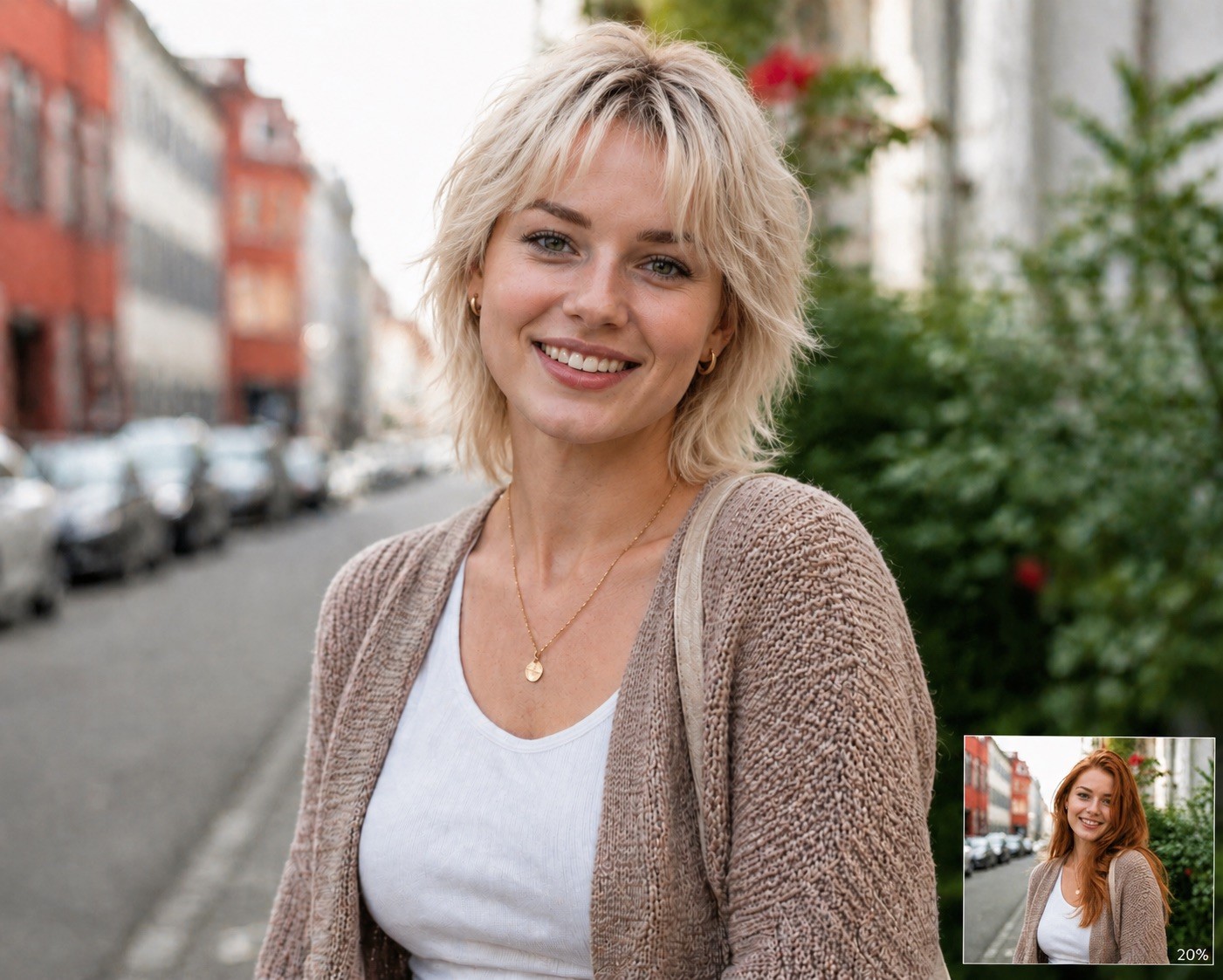









Modify the attached image by changing the person's hair. Set the hairstyle to {{Hairstyle: Original Hair, # Woman - Short, Pixie Cut, Buzz Cut, Short Bob, # Woman - Middle, Shoulder-length Waves, Lob, Shag Cut, # Woman - Long, Straight Long Hair, Beach Waves, Braided Crown, High Ponytail, # Man - Short, Crew Cut, Fade, Undercut, Pompadour, # Man - Middle, Man Bun, Slicked Back, Shoulder-length, # Man - Long, Long Waves, Viking Braids, Top Knot}} and the hair color to {{Color: Original Color, # Natural, Black, Dark Brown, Light Brown, Blonde, Platinum Blonde, Red, Auburn, Grey, White, # Extraordinary, Pastel Pink, Electric Blue, Lavender, Neon Green, Silver, Rose Gold, Sunset Orange}} and the Facial hair like beard and/or eyebrows to {{Color}}. Ensure the result is photorealistic, blends naturally with the lighting, and preserves the person's original facial features.
Original Hair, # Woman - Short, Pixie Cut, Buzz Cut, Short Bob, # Woman - Middle, Shoulder-length Waves, Lob
Original Color, # Natural, Black, Dark Brown, Light Brown, Blonde, Platinum Blonde, Red
Modify the attached image by changing the person's hair. Set the hairstyle to Original Hair and the hair color to Original Color and the Facial hair like beard and/or eyebrows to Original Color. Ensure the result is photorealistic, blends naturally with the lighting, and preserves the person's original facial features.
ตัวแปรจะอยู่ภายใน {{ และ }} และเป็นไปตามรูปแบบนี้:
ตัวเลือกสามารถอ้างอิงรายการตัวแปรที่กำหนดไว้ล่วงหน้าโดยใช้วงเล็บเหลี่ยม ตัวเลือกเหล่านี้จะแสดงเป็น[สีส้ม]และให้ค่าที่ใช้บ่อย เช่น สี โทน หรือภาษา
คุณยังสามารถระบุรายการตัวเลือกแบบอินไลน์ โดยคั่นด้วยเครื่องหมายจุลภาคได้
เคล็ดลับ: คุณไม่จำเป็นต้องใช้แอป PUCO เพื่อใช้พรอมต์เหล่านี้! เพียงคัดลอกเทมเพลตและแทนที่แต่ละส่วน {{…}} ด้วยข้อความของคุณเองโดยตรงใน ChatGPT, Claude, Gemini หรือผู้ช่วย AI อื่น ๆ