Ideale per
- Partire da un prompt strutturato e riutilizzabile invece di una chat vuota.
- Adattare il prompt ai propri input mantenendo intatto l'intento originale.
- Flussi di lavoro legati a Design & Art.

Trasforma un'immagine caricata in qualsiasi movimento artistico o stile visivo specifico.
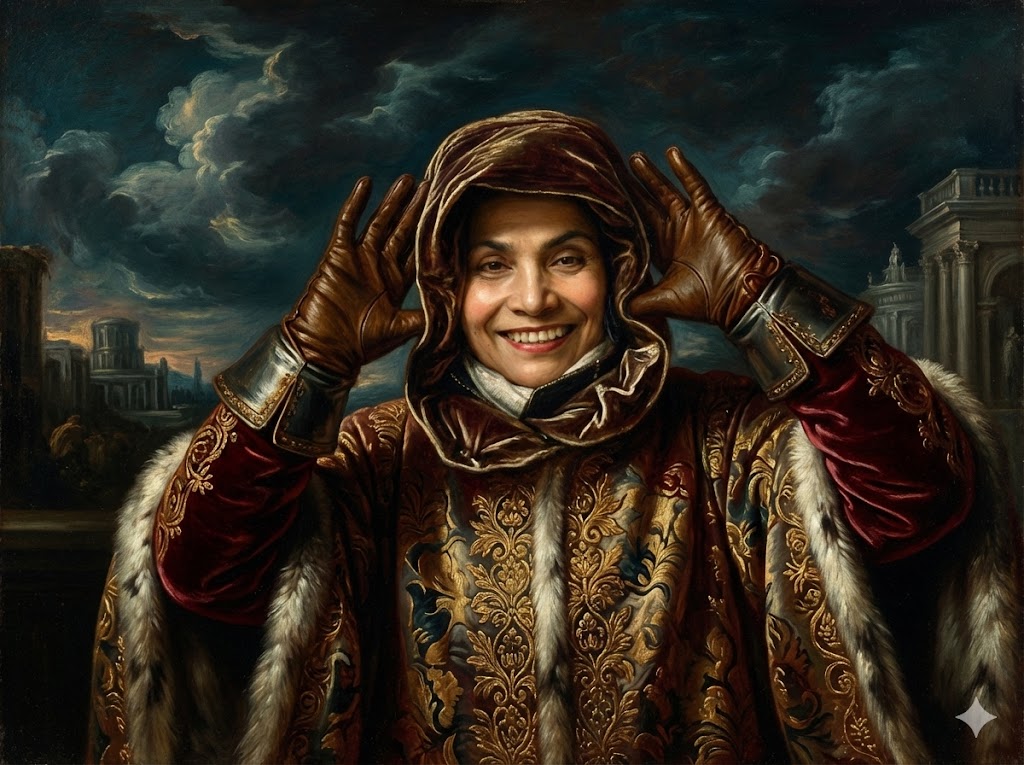
I have attached an image. Please follow these steps:

Step 1: Create a detailed description of the visual characteristics of the {{Style:[art_styles]}} style, focusing on typical techniques, color palettes, and textures.

Step 2: Take the attached image and use the description from Step 1 to modify it. Generate a new version of the image that perfectly embodies the {{Style:[art_styles]}} aesthetic.
[art_styles]
I have attached an image. Please follow these steps:

Step 1: Create a detailed description of the visual characteristics of the [art_styles] style, focusing on typical techniques, color palettes, and textures.

Step 2: Take the attached image and use the description from Step 1 to modify it. Generate a new version of the image that perfectly embodies the [art_styles] aesthetic.
Le variabili sono racchiuse tra {{ e }} e seguono questo schema:
Una selezione può fare riferimento a un elenco di variabili predefinito usando le parentesi quadre. Appaiono in [arancione] e forniscono valori di uso comune come colori, toni o lingue.
Puoi anche fornire un elenco di scelte in linea, separate da virgole.
Suggerimento: non hai bisogno dell'app PUCO per usare questi prompt! Copia semplicemente il modello e sostituisci ogni sezione {{…}} con il tuo testo direttamente in ChatGPT, Claude, Gemini o qualsiasi altro assistente IA.