Ideale per
- Partire da un prompt strutturato e riutilizzabile invece di una chat vuota.
- Adattare il prompt ai propri input mantenendo intatto l'intento originale.
- Flussi di lavoro legati a Design & Art, Business & Pro, Photography.

Genera ritratti professionali fotorealistici per LinkedIn o profili aziendali.
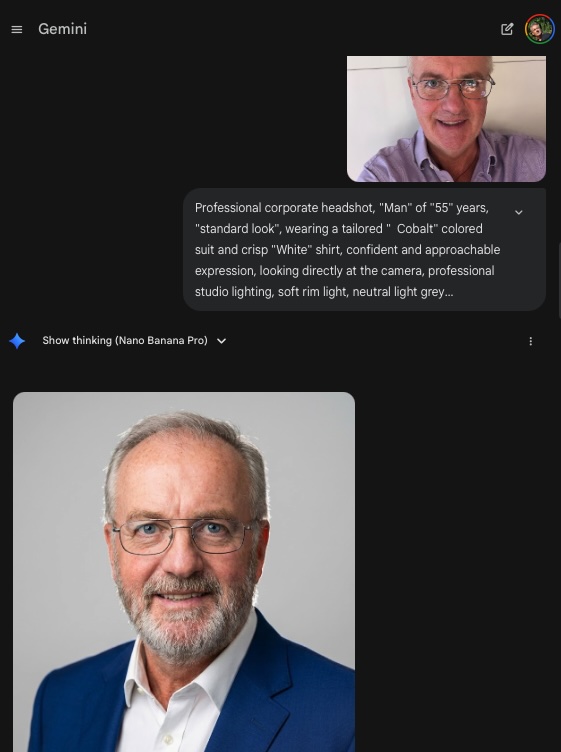


Create an image from the attached photo / person: Professional corporate headshot, {{Gender:Woman, Man, Girl, Boy, Non-binary}} of {{Age:5-85}} years, {{Apparent Age:standard look, looks younger, looks older}}, wearing a tailored {{Color: [dressing_colors]}} colored {{suit_or_style: [dressing_elements]}} and {{Shirt or Blouse color: [dressing_colors]}} for shirt or blouse, confident and approachable expression, looking directly at the camera, professional studio lighting, soft rim light, neutral light grey background, 8k resolution, photorealistic, sharp focus on eyes, shot on Sony A7R IV 85mm lens. Special features of this person: {{Features:None, Clean shaven, Full beard, Glasses, Freckles}}.
Woman, Man, Girl, Boy, Non-binary
5-85
standard look, looks younger, looks older
[dressing_colors]
[dressing_elements]
[dressing_colors]
None, Clean shaven, Full beard, Glasses, Freckles
Create an image from the attached photo / person: Professional corporate headshot, Woman of 5-85 years, standard look, wearing a tailored [dressing_colors] colored [dressing_elements] and [dressing_colors] for shirt or blouse, confident and approachable expression, looking directly at the camera, professional studio lighting, soft rim light, neutral light grey background, 8k resolution, photorealistic, sharp focus on eyes, shot on Sony A7R IV 85mm lens. Special features of this person: None.
Le variabili sono racchiuse tra {{ e }} e seguono questo schema:
Una selezione può fare riferimento a un elenco di variabili predefinito usando le parentesi quadre. Appaiono in [arancione] e forniscono valori di uso comune come colori, toni o lingue.
Puoi anche fornire un elenco di scelte in linea, separate da virgole.
Suggerimento: non hai bisogno dell'app PUCO per usare questi prompt! Copia semplicemente il modello e sostituisci ogni sezione {{…}} con il tuo testo direttamente in ChatGPT, Claude, Gemini o qualsiasi altro assistente IA.