Idéal pour
- Partir d'un prompt structuré et réutilisable plutôt que d'une conversation vierge.
- Adapter le prompt à vos propres données tout en conservant l'intention d'origine.
- Les workflows liés à Design & Art.

Combine une photographie réaliste avec des annotations techniques dessinées à la main et des superpositions schématiques sur un fond blanc épuré.
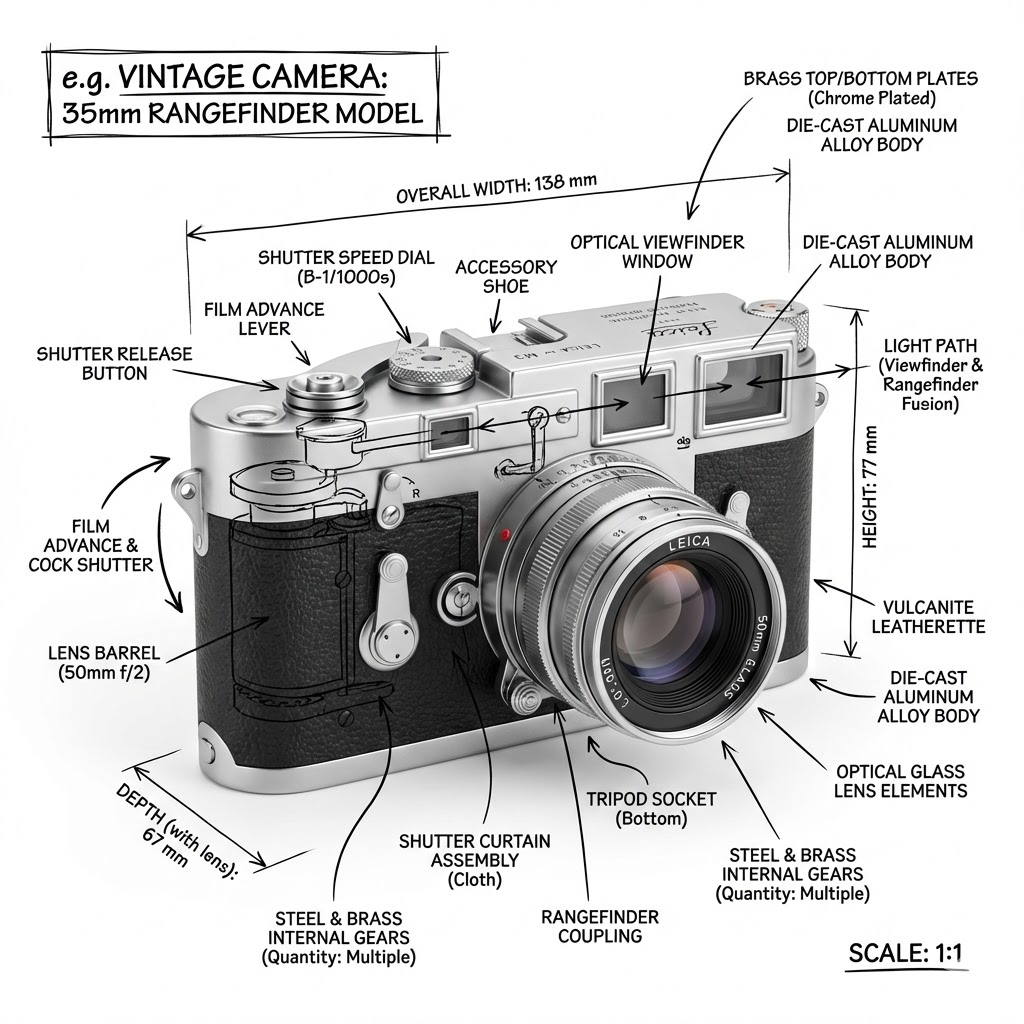
Create an infographic image of {{Object:e.g. Vintage Camera, A sportshoe from ON, The Eiffel Tower, The Colloseum, A Nuclear Powerplant, The Niagara Falls}}, combining a realistic photograph or photoreal render of the object with technical annotation overlays placed directly on top. Use black ink–style line drawings and text (technical pen / architectural sketch look) on a pure white studio background, including: Key component labels, internal cutaway or exploded-view outlines, measurements, dimensions, and scale markers, material callouts and quantities, and arrows indicating {{Indicated Function:function, force, or flow}}. Place the title {{Object:e.g. Vintage Camera}} inside a hand-drawn technical annotation box in one corner. Style rules: The real object remains clearly visible beneath the annotations; annotations feel sketched and architectural; clean composition with balanced negative space; educational engineering-manual vibe. Color palette: White background, black annotation lines and text only. Aspect ratio: {{Aspect Ratio:1:1, 16:9, 4:5}}.
e.g. Vintage Camera, A sportshoe from ON, The Eiffel Tower, The Colloseum, A Nuclear Powerplant, The Niagara Falls
function, force, or flow
1:1, 16:9, 4:5
Create an infographic image of e.g. Vintage Camera, combining a realistic photograph or photoreal render of the object with technical annotation overlays placed directly on top. Use black ink–style line drawings and text (technical pen / architectural sketch look) on a pure white studio background, including: Key component labels, internal cutaway or exploded-view outlines, measurements, dimensions, and scale markers, material callouts and quantities, and arrows indicating function. Place the title e.g. Vintage Camera inside a hand-drawn technical annotation box in one corner. Style rules: The real object remains clearly visible beneath the annotations; annotations feel sketched and architectural; clean composition with balanced negative space; educational engineering-manual vibe. Color palette: White background, black annotation lines and text only. Aspect ratio: 1:1.
Les variables sont entourées de {{ et }} et suivent ce modèle :
Une sélection peut référencer une liste de variables prédéfinie à l'aide de crochets. Elles apparaissent en [orange] et fournissent des valeurs courantes comme des couleurs, des tons ou des langues.
Vous pouvez aussi fournir une liste de choix en ligne, séparés par des virgules.
Astuce : vous n'avez pas besoin de l'application PUCO pour utiliser ces prompts ! Copiez simplement le modèle et remplacez chaque section {{…}} par votre propre texte directement dans ChatGPT, Claude, Gemini ou tout autre assistant IA.